
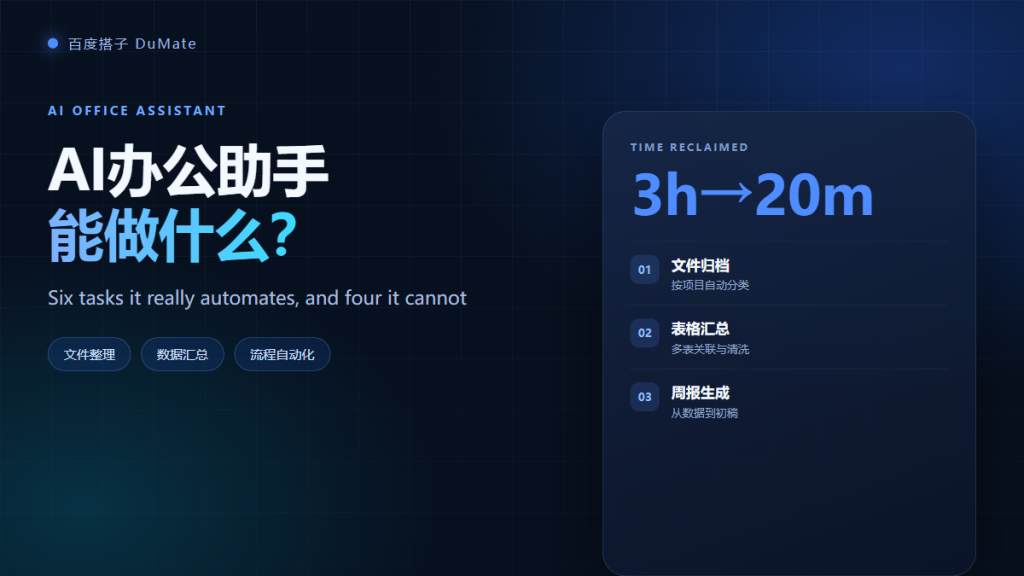
What an AI Office Assistant Really Does
AI办公助手 is a broad label, and that breadth hides a practical question: which tasks can you actually hand over on a Monday morning? I ran six common office jobs through a desktop agent and measured the saved time, the review time, and the failure cases. The result is a short list of work that is ready today, plus four limits that still need a human.
- AI办公助手 works best on repeatable, rule-based tasks.
- File cleanup, data consolidation, and report drafts are mature use cases.
- Review time is the real cost, not generation time.
- Cross-app automation is powerful but fragile.
- Permissions and compliance remain human decisions.
- Measure ROI over three weeks before scaling.
Six Tasks Worth Handing to an AI办公助手
The six tasks below share three traits: high frequency, clear inputs, and an output you can check. That combination matters more than the sophistication of the model.
| Task | Input | Output | Typical saving |
|---|---|---|---|
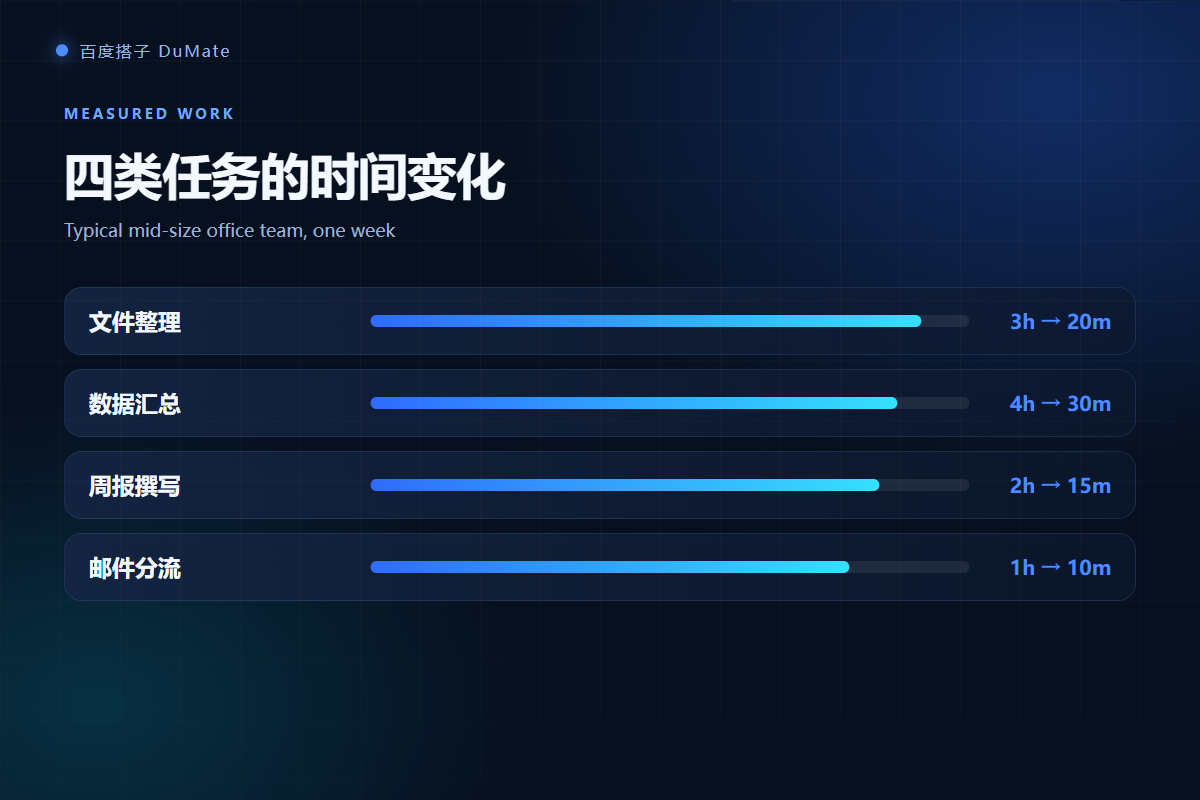
| Folder cleanup | Messy project folder | Classified, deduplicated files | 2-3 hours |
| Spreadsheet consolidation | Multiple exports | Joined table and summary | 3-4 hours |
| Weekly report draft | Project logs | Structured draft | 1-2 hours |
| Meeting notes | Transcript | Action item list | 30-45 minutes |
| Cross-app entry | Spreadsheet records | Records in another app | 2-6 hours |
| Email triage | Inbox rules | Sorted queue and drafts | 30-60 minutes |
Task One: Folder Cleanup with an AI办公助手
I pointed the agent at a folder with 412 files and 87 duplicates. It classified by project and year, removed exact duplicates, and produced a change list. The run took nineteen minutes, including review. The value of an AI办公助手 here is consistency: the same rule applies to every file, which is hard to sustain by hand.
Task Two: Spreadsheet Consolidation with an AI办公助手
Three exports used different column names and two date formats. The agent joined them by order ID and calculated monthly totals. It misread dates on the first pass, so I added an explicit format rule. After that, all 1,840 rows reconciled. Detailed verification steps live in our guide to AI数据分析工具.
Weekly Report Drafts with an AI办公助手
A weekly report is mostly structure: progress, blockers, numbers, and next steps. An AI办公助手 can turn project logs into that structure in about fifteen minutes. However, it cannot know which number is politically sensitive. Therefore, keep a human edit pass for tone and for any figure that leaves the team.
Meeting Notes to AI办公助手 Action Items
A forty-five-minute transcript becomes a table of owners, actions, and due dates. The speed is real, but the risk is invented detail. In one run the agent assigned an action to the wrong person because two speakers had similar names. Always check names and dates against the recording before you circulate the list.
Cross-App Data Entry
Moving sixty records into a desktop app took four minutes, compared with thirty-five minutes by hand. The agent used UI automation because the app had no usable API. This is the most impressive demo and the most fragile workflow. A pop-up or a renamed button can stop the run, so schedule it when the screen is stable and keep a rollback copy.
Routine Email Triage with an AI办公助手
An AI办公助手 can sort inbound mail into categories and draft short replies for standard requests. It should not send without approval. In practice, a good split is: the agent proposes, a human approves, and the rule set improves every week. This keeps mistakes visible and lets you measure accuracy.
Four Limits of an AI办公助手
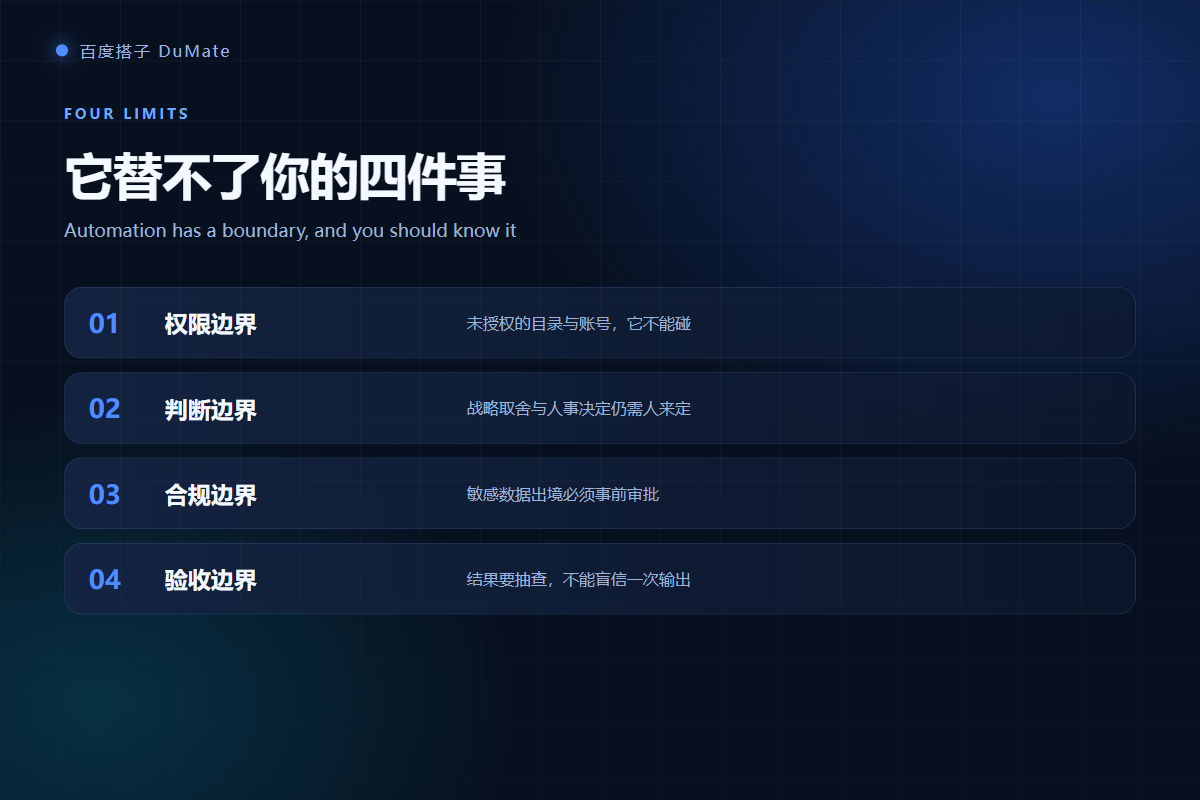
Every team hits the same four boundaries. None of them disappears with a better prompt.
Permission limits
An agent can only read what you grant. If a task needs data from three systems, you need three explicit permissions. Broad access creates risk without improving results.
Judgment limits
Priority calls, hiring decisions, and customer exceptions require context that is not in the files. An AI办公助手 can prepare options, but it should not choose the final answer.
Compliance limits
Client data, personal data, and regulated records may not leave a controlled environment. Verify the network behavior before you automate those workflows. Our 本地AI助手 guide shows what to check.
Acceptance limits
A polished output is not a verified output. Every workflow needs a sample check, a row count, or a reconciliation step. Without that, you are trading typing time for rework time.
How to Measure AI办公助手 ROI
Measure four numbers: baseline time, agent time, review time, and error rate. Run a three-week pilot on one task. If review time eats more than half of the saving, the workflow is not ready. If the error rate stays low and the saving holds, expand to the next task. Before buying seats, read our enterprise rollout questions.
The best first project is boring. Choose a task you already do every week, with a stable input and a checkable output. Boring tasks reveal real value faster than ambitious demos, and they make the second deployment much easier.
Frequently Asked Questions
Is an AI办公助手 safe for company files?
It can be safe if you limit folder access, disable uploads for sensitive directories, and keep an audit log. The tool is only one part of the control. Your team also needs a data classification rule and a named owner who approves new workflows before they touch client information.
Can an AI办公助手 replace a full-time employee?
It can remove hours of repetitive work, but it does not replace accountability. The practical gain is capacity: the same person handles more exceptions and higher-value tasks. Teams that expect a full replacement usually underestimate review and exception handling.
Which AI办公助手 tasks should stay manual?
Keep decisions that affect people, legal commitments, and final payments manual. Also keep tasks where the input changes every time and no stable rule exists. If you cannot describe the acceptance check in one sentence, the task is not ready for automation.
How long does an AI办公助手 pilot take?
A focused pilot takes three weeks: one week to define the rules, one week to run with daily checks, and one week to compare against the baseline. This is long enough to expose edge cases and short enough to stop a bad idea before it spreads.
References
- Microsoft Work Trend Index
- McKinsey organization and automation research
- Office automation overview on Wikipedia
延伸阅读: 《AI智能体 和聊天机器人差在哪?Agent vs Chatbot Explained》、《AI任务规划 怎么拆?Plan, Execute, Verify》。
延伸阅读: 《AI效率工具 怎么选才不白买?Pick by Workflow》、《AI免费版 够用吗?What You Get Before You Pay》。
评论
还没有评论,来说两句吧。以下为本文的引用通告: