
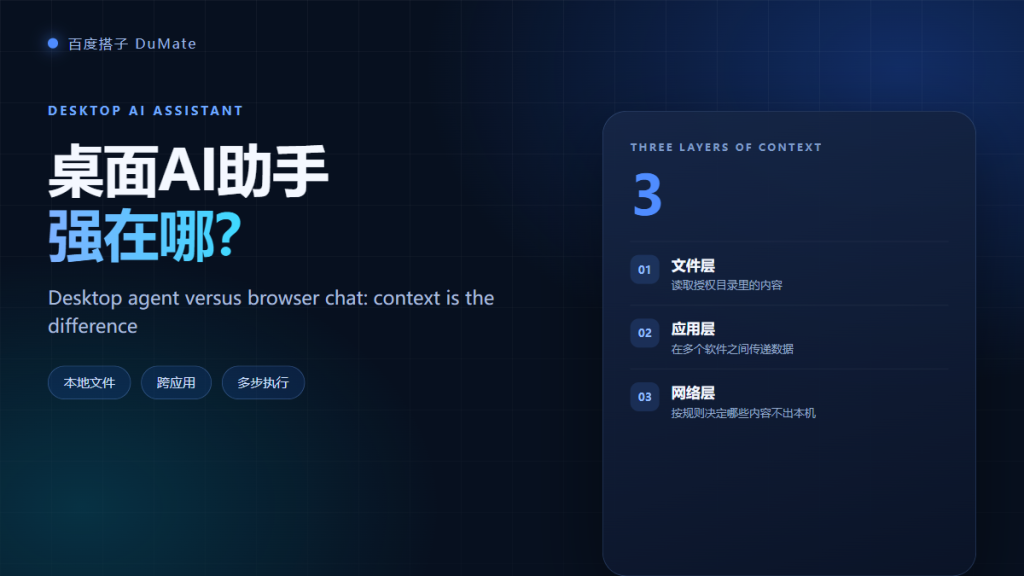
What a 桌面AI助手 Actually Changes
桌面AI助手 is not a chatbot with a desktop icon. It is a program that can read a folder, open an application, and carry a task through several steps. That difference sounds small until you compare the work it can finish without a human moving files around. In this guide I compare it with browser chat across four dimensions: context, reach, reliability, and data exposure.
- 桌面AI助手 works on local files without uploads.
- It can operate other applications through UI automation.
- It still needs explicit permissions and checkpoints.
- Browser chat remains better for quick, single-turn questions.
- Network behavior decides the real privacy boundary.
- Reliability drops when screens or file layouts change.
The Three Layers of Context for a 桌面AI助手
A 桌面AI助手 works with three layers of context. The first is files, the second is applications, and the third is the network. Each layer has its own permission and its own risk. Understanding them separately makes setup much easier.
Layer One: Local Files
The agent reads the folders you authorize. In my test I granted a single project directory with 412 files. It indexed the folder in under a minute and kept the index local. The practical gain is simple: no manual upload, no download, and no duplicate copy in a browser tab.
Layer Two: Desktop Applications
The second layer is application access. A 桌面AI助手 can click buttons, fill fields, and move data between two programs. This is where the category becomes useful for operations teams. It is also where reliability becomes a real concern, because every screen change can break a script.
Layer Three: Network Boundaries for a 桌面AI助手
The third layer is the network. Some features run locally; others call a cloud model. A serious 桌面AI助手 exposes that difference in its settings. Turn off uploads for sensitive folders and test with a non-sensitive directory first. If you cannot find the switch, assume the data may leave the device.
Browser Chat vs 桌面AI助手
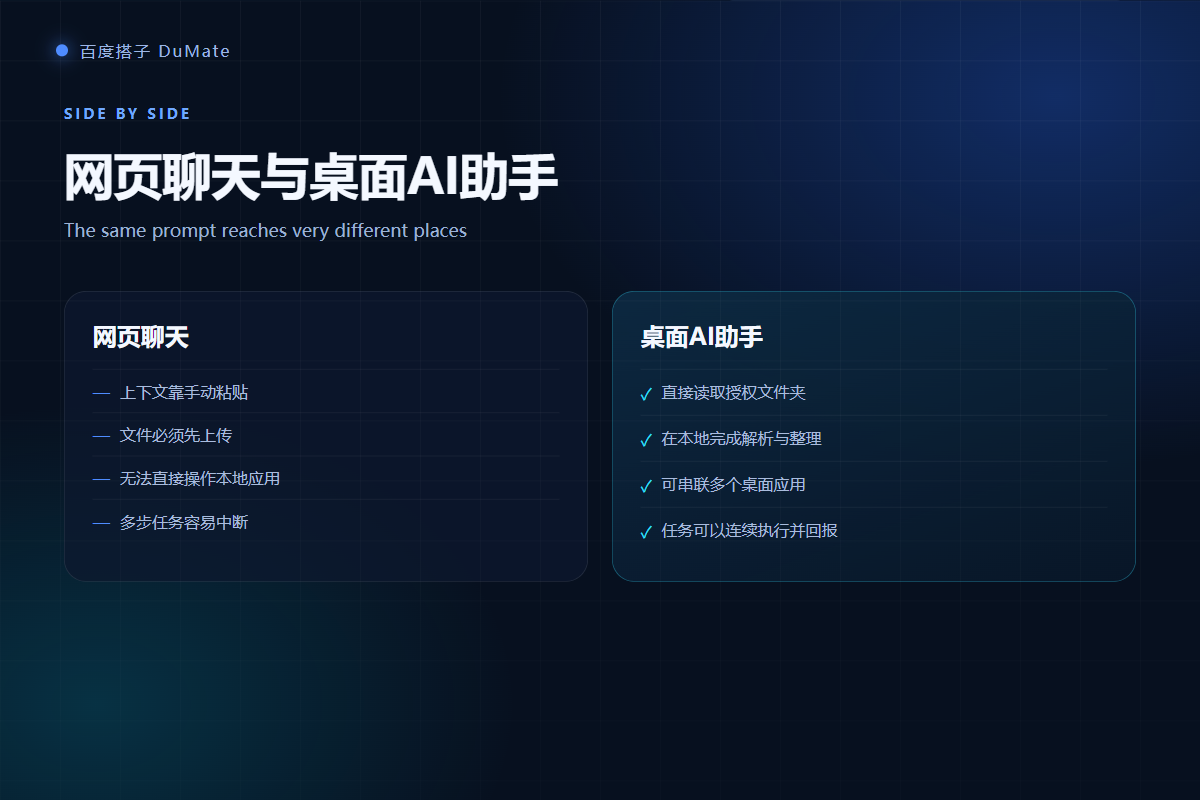
Browser chat is still the right tool for a quick question. It is fast, familiar, and requires no installation. A 桌面AI助手 wins when the task needs local context or more than one application. The table below summarizes the trade-off.
| Dimension | Browser chat | Desktop AI assistant |
|---|---|---|
| File access | Manual upload | Authorized folders |
| Multi-step work | Mostly single turn | Planned sequence |
| App control | None | UI automation |
| Data path | Upload to cloud | Local first, cloud optional |
Where the 桌面AI助手 Wins
Three scenarios stood out in testing. First, cleaning and classifying a local folder. Second, joining several spreadsheets without uploading them one by one. Third, moving records into a legacy desktop app that has no API. In each case the 桌面AI助手 removed a repetitive handoff, not the whole job.
Where the 桌面AI助手 Still Fails
The failures are predictable. Long tasks drift, ambiguous instructions produce confident but wrong output, and screen changes break automation. Moreover, the 桌面AI助手 cannot tell whether a file is politically sensitive. That judgment stays with you, which is why a review step is not optional.
Permission Setup for a 桌面AI助手
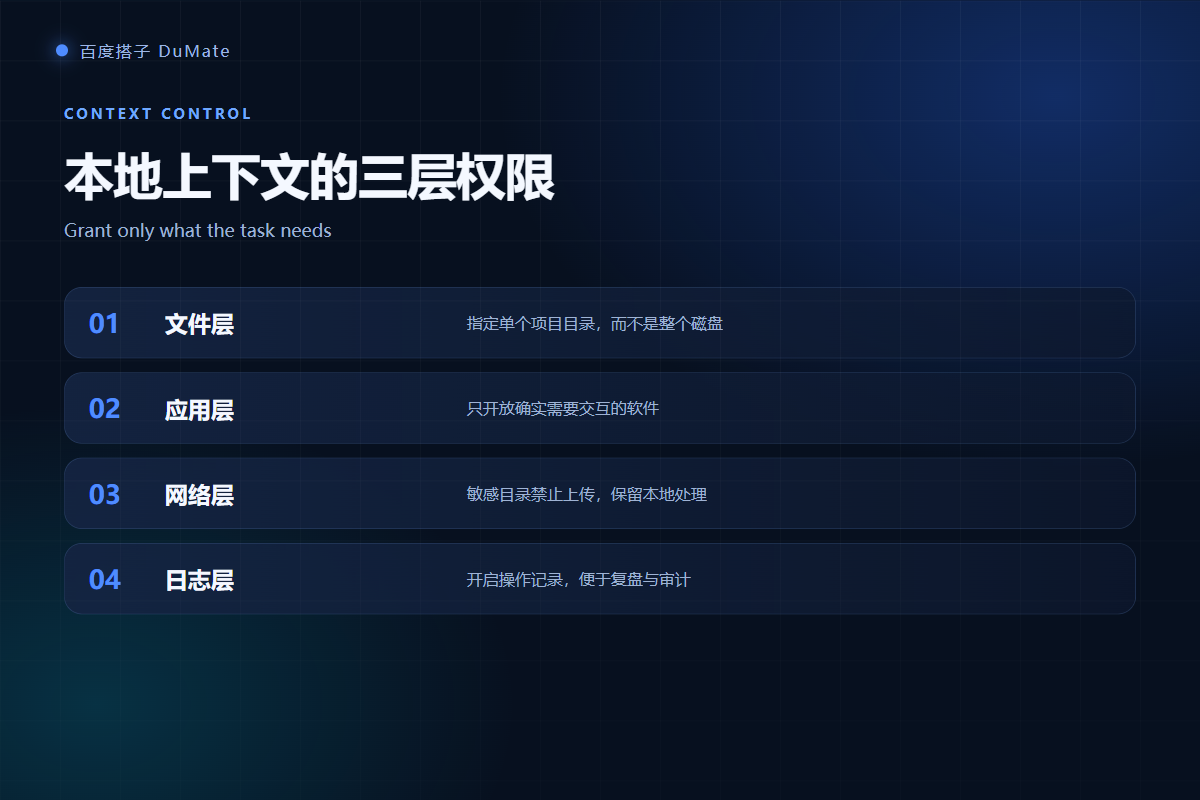
Start narrow. Grant one folder, one app, and one output directory. Keep confirmation prompts for deletes and overwrites. Then run a small task and inspect the log before you widen access. This sequence takes about ten minutes and prevents most accidents.
- Folder scope: one project, not the whole disk.
- App scope: only the software the task needs.
- Output scope: a separate review folder.
- Logs: keep them for at least one week.
Offline behavior of a 桌面AI助手
Basic file operations can continue offline. Planning and language quality may pause until the connection returns. Test this before you rely on the tool during travel or in a restricted network.
Rollback and recovery
Before any bulk change, create a copy or enable version history. A 桌面AI助手 should produce a change list, and you should be able to reverse the run. If rollback is unclear, do not approve the task.
Who Should Choose Which
Choose browser chat for research, drafting, and one-off questions. Choose a 桌面AI助手 for repeatable work that involves local files or multiple applications. Teams that handle both should use both, with a clear rule for which data is allowed to leave the device. For a wider rollout, see our enterprise AI assistant checklist.
If you are still evaluating the product itself, start with our 百度搭子 hands-on review. It covers installation, three real tasks, pricing, and the failure cases I hit in a normal workday. For privacy details, read the 本地AI助手 data boundary guide next.
Frequently Asked Questions
Is a 桌面AI助手 safer than browser chat?
It can be safer because files stay on the device and permissions are explicit. However, safety depends on configuration. If you grant the whole disk and leave uploads on, the desktop version can expose more data than a browser tab. Start with one folder and verify the network behavior.
Can a 桌面AI助手 work without internet?
Some local tasks continue offline, especially file classification and renaming. Language-heavy steps may pause. Test the specific workflow you need, because offline support varies by feature and by plan, and do not assume the whole task will run without a connection.
Does it slow down my computer?
Indexing a large folder uses disk and memory for a short period. In my test, a 412-file folder indexed in under a minute on a 16 GB machine. Keep temporary space free and avoid running several large tasks at the same time.
Can I use it with company software?
Yes, if the software allows UI automation and your policy permits it. Check the vendor terms, avoid unattended runs on shared machines, and keep a human approval step for any action that changes customer or financial records.
References
延伸阅读: 《AI智能体 和聊天机器人差在哪?Agent vs Chatbot Explained》、《AI操作录制 怎么用?Record Once, Replay Safely》。
延伸阅读: 《AI桌面自动化 怎么让应用自己跑?Desktop Automation》、《AI效率工具 怎么选才不白买?Pick by Workflow》。
评论
还没有评论,来说两句吧。以下为本文的引用通告: