

Why AI文件搜索 Feels Different
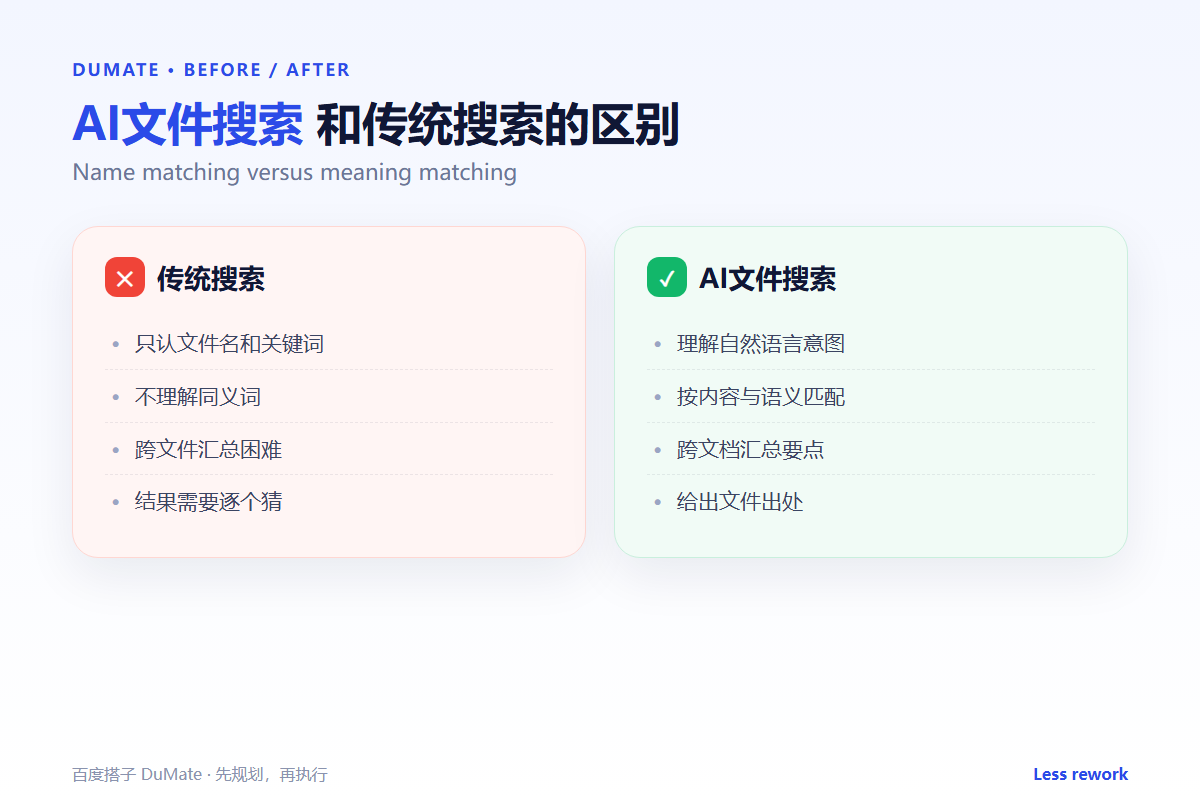
AI文件搜索 changes the question you ask. Instead of remembering a file name, you describe what the file contains. That shift matters when folders are messy and names are inconsistent. A traditional search returns anything that matches a string; an AI文件搜索 looks for meaning, then shows the evidence behind each result.
- Start with a folder, a date, or a file type.
- Describe who, when, and what the document contains.
- Use filters to remove noise before reading results.
- Check the path and modified time before opening.
- Verify the content, not just the title.
- Keep permissions scoped to the folders you need.
Five Habits for Better AI文件搜索
The tool is only as good as the question. A vague request like “find the report” returns a pile of maybes. A useful request names the project, the period, and a distinctive detail. This is not a trick; it is the same information you would give a colleague who knows the archive.
- Limit the search scope first.
- Describe the content in one sentence.
- Add a time range and a file type.
- Open the folder path before the file.
- Confirm the version and the owner.
Name matching versus meaning matching
Name matching is fast and predictable. Meaning matching is slower but more forgiving. AI文件搜索 is most useful when you remember the substance but not the label, for example “the contract with the penalty clause we discussed in March”.
Where AI文件搜索 Helps Most
Three situations produce the biggest gain. First, a shared drive with years of inconsistent names. Second, a project folder that mixes drafts, finals, and exports. Third, a handover where the new owner does not know the old naming rules. In each case, the value comes from finding the right file once, then saving that path for next time.
| Scenario | Old habit | AI文件搜索 habit |
|---|---|---|
| Shared drive | Scroll and guess | Search by project and month |
| Mixed drafts | Open several files | Filter by modified date |
| Handover | Ask a colleague | Search by content and owner |
| Compliance | Trust the file name | Check the path and version |
Good search habits also improve organization. When you notice that a query fails because names are inconsistent, fix the naming rule. The AI自动整理文件 workflow covers the cleanup side, while search covers the retrieval side.
Permissions and Privacy
A search tool should never show files the user cannot open. Folder-level permissions are the minimum. If the index is stored locally, check whether snippets or embeddings leave the device. For sensitive material, a local deployment is easier to defend. The 本地AI助手 guide explains what “data stays on device” should mean in practice.
Do not index everything
More coverage is not always better. Exclude personal folders, temporary downloads, and archived projects you rarely need. A smaller index is faster and easier to audit. It also reduces the chance that a search result exposes information from another team.
Common Mistakes
The most common mistake is trusting the first result. AI文件搜索 ranks by relevance, not by correctness. Open the file, check the date, and confirm the version. The second mistake is using search as a substitute for structure; if every query fails, the folder needs a rule, not a better prompt.
- Searching the whole drive when a folder would do.
- Ignoring file extensions and date filters.
- Opening a same-name file from the wrong project.
- Assuming the newest file is the approved one.
- Letting the index include restricted folders.
FAQ
Can AI文件搜索 read scanned PDFs?
It depends on OCR. Text-based PDFs work well; scans need a quality check, especially for numbers and names.
Does it replace a naming convention?
No. Search reduces the cost of bad names, but a simple naming rule still saves time for everyone.
Is local search safer?
It can be, if permissions are enforced and the index stays on the device. The 百度搭子 review covers the local-first approach.
References

Related reading: AI智能体 和聊天机器人差在哪.
评论
还没有评论,来说两句吧。