

What AI操作录制 Is Good For
AI操作录制 turns a sequence of clicks and edits into a replayable workflow. It is useful when the steps are stable and the volume is high: renaming files, moving records, exporting reports, or filling the same form every week. It is a poor fit for tasks that change every time or depend on judgment that was never written down.
- Choose a task with stable screens and steps.
- Separate fixed steps from variable inputs.
- Add a check after every critical action.
- Plan what happens when a step fails.
- Test on one real case before scaling.
- Keep a human gate for risky actions.
The Five-Step AI操作录制 Loop
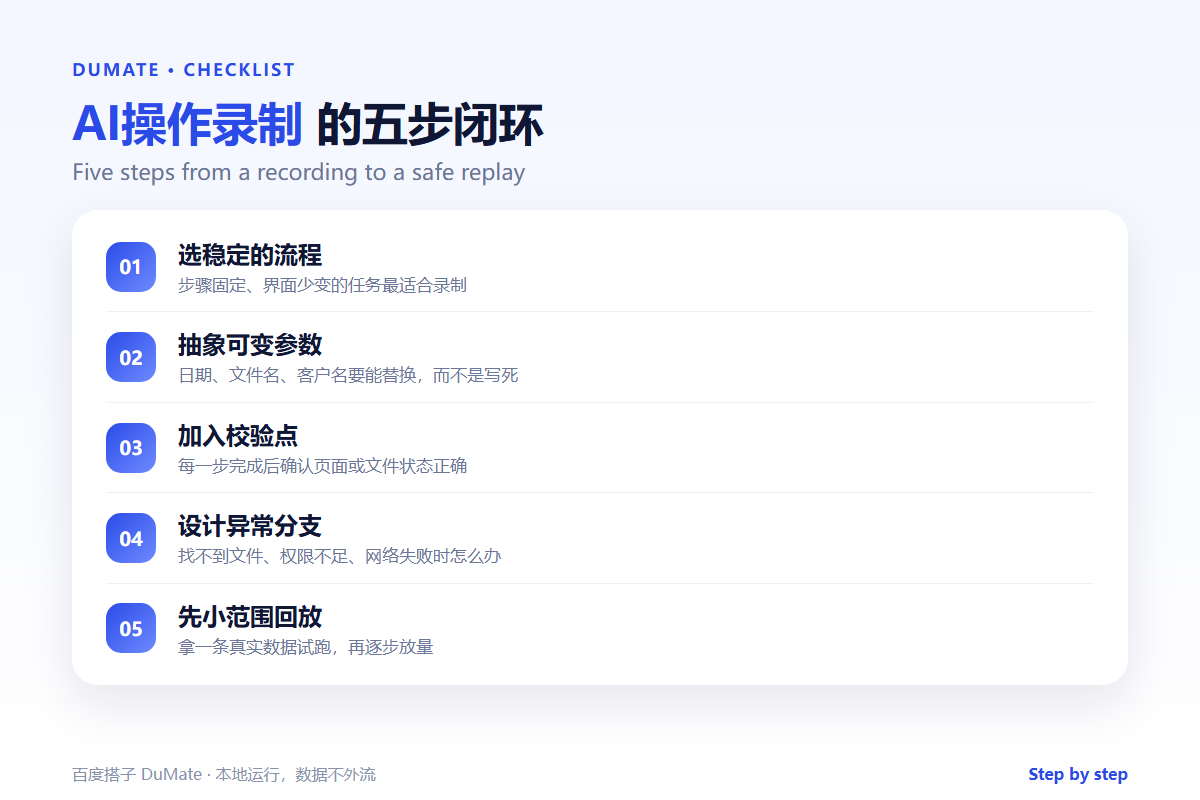
The first recording should be slow and deliberate. Do the task once, narrate each decision, and note the exceptions you handle without thinking. Then remove the parts that only apply to this one case. What remains is the reusable workflow.
- Record the stable path with real data.
- Extract dates, names, and paths as parameters.
- Add verification points after each step.
- Define failure branches and alerts.
- Replay on a small sample and compare.
Parameters make a recording reusable
A recording that hard-codes one file name is a one-time macro. An AI操作录制 that accepts a folder, a date range, and an output name can run next week without editing. The more variables you expose, the more likely the workflow survives a small change.
Verification and Failure Branches
Every critical step needs a check. After a file move, confirm the file exists in the new location. After an export, check the row count. After a form submission, look for the confirmation message. Without these checks, the workflow continues happily after a silent failure.
| Step | Check | Failure action |
|---|---|---|
| Open folder | Expected file count | Stop and alert |
| Rename files | No duplicate names | Skip and log |
| Export report | Row count matches source | Retry once, then stop |
| Send email | Recipient and attachment | Require approval |
Failure branches are part of the design, not an afterthought. A workflow that only handles the happy path is a demo. A workflow that knows when to stop is a tool. The AI自动化流程 guide makes the same point about repetitive tasks.
Human in the Loop vs Unattended
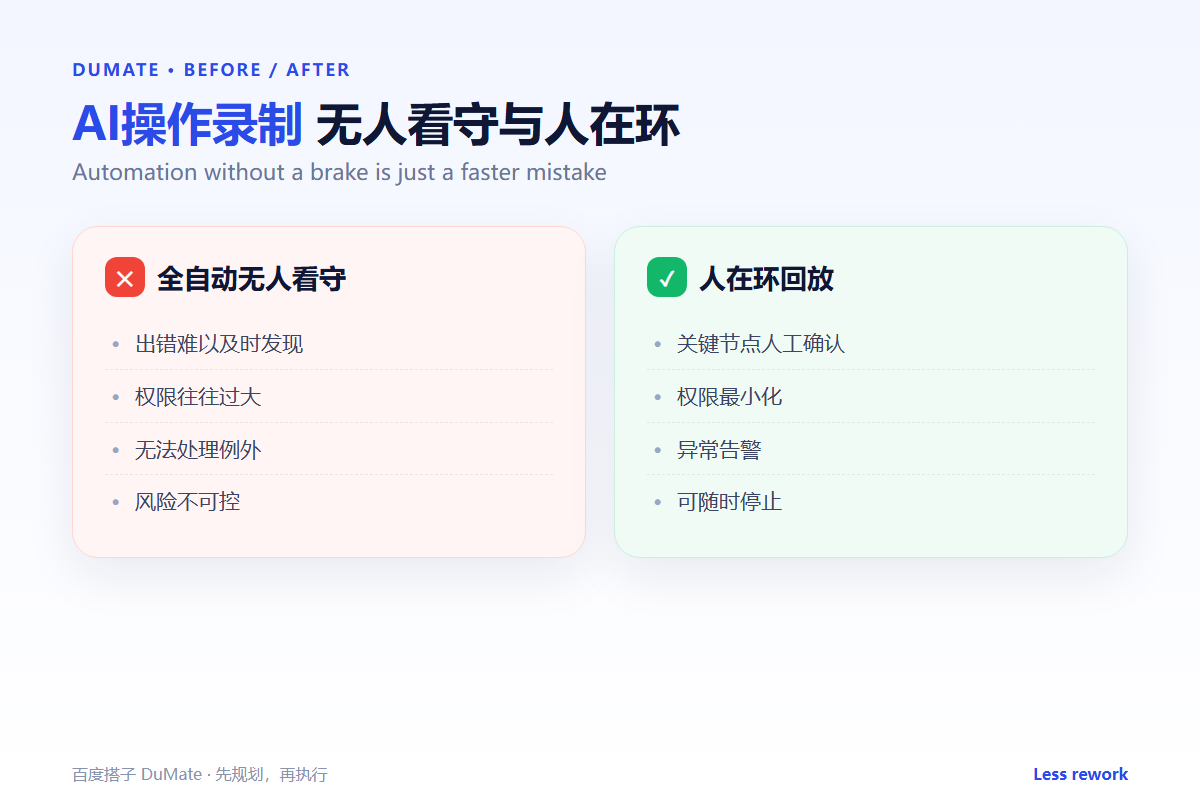
Unattended automation is faster but riskier. Use it only when the task is reversible, the inputs are predictable, and the failure is easy to detect. For anything that sends messages, deletes data, or touches money, keep a human confirmation step. The cost of one review is lower than the cost of one wrong send.
This is especially true for cross-application work. A recording that moves data between a spreadsheet, a browser, and an email client has more failure points than a single-app task. The AI跨应用操作 guide explains where to place those checks.
Who can stop an AI操作录制 replay?
Make the stop control obvious. Anyone running the workflow should be able to pause it without hunting through menus. Log who started each run and what changed. An AI操作录制 without a stop button is a liability, not an efficiency gain.
When Not to Record
Some tasks should stay manual. If the steps change weekly, if the judgment depends on context, or if a mistake cannot be undone, recording adds risk without saving much time. The same applies to tasks that run only a few times a year; the maintenance cost exceeds the benefit.
- Interfaces that change frequently.
- Decisions that require human judgment.
- Actions that cannot be reversed.
- One-off tasks with no repeat volume.
- Processes nobody owns or reviews.
FAQ
Does AI操作录制 require coding?
Often not, but complex conditions and error handling may need configuration. Start with a simple path and add logic only when needed.
Can it run on a schedule?
Yes, if the tool supports triggers. Add a pre-run check so the workflow does not start with missing files or expired credentials.
How do I keep credentials safe?
Use the minimum permissions required and avoid storing passwords inside the recording. For local work, the 桌面AI助手 comparison covers the permission model.
References
Related reading: AI任务规划 怎么拆.
评论
还没有评论,来说两句吧。