
What AI数据分析工具 Should Handle
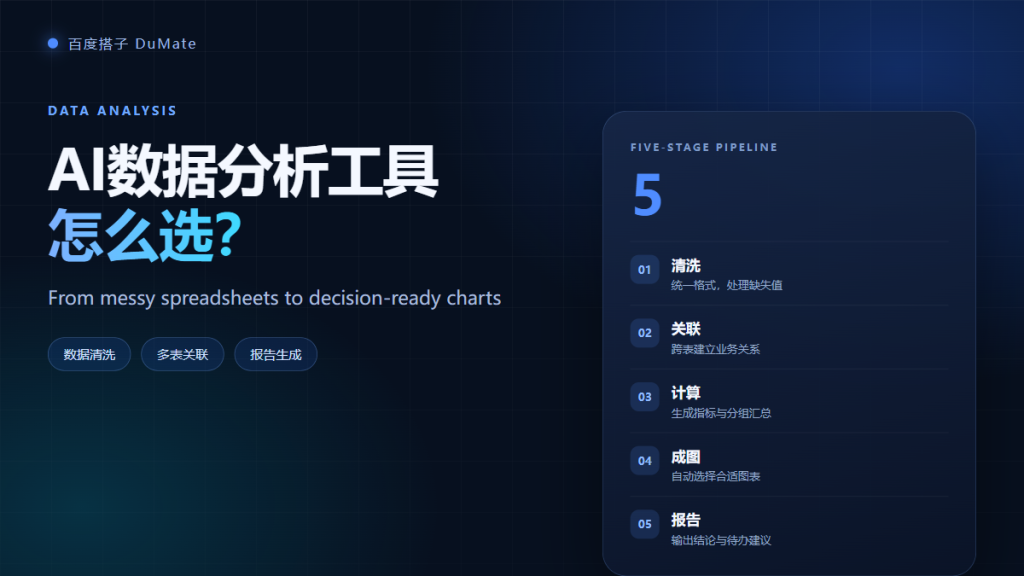
AI数据分析工具 is not a magic chart button. A useful tool takes messy exports, cleans them, joins related tables, calculates agreed metrics, and produces a report you can defend. The difference between a demo and a working tool is verification. This guide walks through the five-stage pipeline I use for monthly reporting.
- AI数据分析工具 must clean data before it calculates anything.
- Join keys and date formats cause most errors.
- Metric definitions belong in writing, not in the prompt.
- Charts should follow the question, not the tool default.
- Every report needs a reconciliation sample.
- Speed matters less than a repeatable output.
The Five-Stage Pipeline
The pipeline is cleaning, joining, calculation, visualization, and reporting. Each stage produces an artifact you can inspect. If a tool hides the intermediate steps, you cannot debug a wrong number, and that is a serious weakness for business reporting.
Stage One: Data Cleaning with AI数据分析工具
Cleaning fixes types, missing values, duplicates, and inconsistent units. A good AI数据分析工具 reports what it changed. In one test, the agent found 34 rows with mixed date formats and 12 duplicate order IDs. It fixed the dates and flagged the duplicates instead of deleting them.
Date formats AI数据分析工具 must unify
State the target format explicitly, such as YYYY-MM-DD. Ambiguous dates are the most common source of wrong monthly totals. Ask for a list of unparsed dates before the calculation starts.
Stage Two: Multi-Table Joins in AI数据分析工具
Three exports rarely share column names. Define the join key, the join type, and the expected row count. For example: join orders to customers on customer ID, keep all orders, and confirm 1,840 rows before and after. This simple check catches most silent data loss.
Join keys
Use an ID, not a name. Names have duplicates, extra spaces, and inconsistent capitalization. If no ID exists, ask the tool to show candidate matches before it merges anything.

Stage Three: Metric Definitions
An AI数据分析工具 cannot guess whether revenue means gross or net, or whether active users means daily or monthly. Write the definition in one sentence and ask the tool to repeat it back. Then check one row by hand. This step prevents a beautiful report that answers the wrong question.
Stage Four: Chart Selection
Choose the chart after you state the question. Trends need a line chart, comparisons need bars, and composition needs a stacked view or a table. A pie chart with nine slices is never the answer. Ask the tool to justify its choice in one line.
Chart types for AI数据分析工具
Keep one message per chart. If a chart needs a paragraph to explain, split it into two charts. This rule improves both readability and decision speed.
Stage Five: Report Generation
The report should contain the question, the method, the result, and the caveats. Ask for a short summary at the top and an appendix with the data source and row counts. A good AI数据分析工具 makes the appendix automatic, because that is where trust comes from.
How to Verify AI数据分析工具 Output
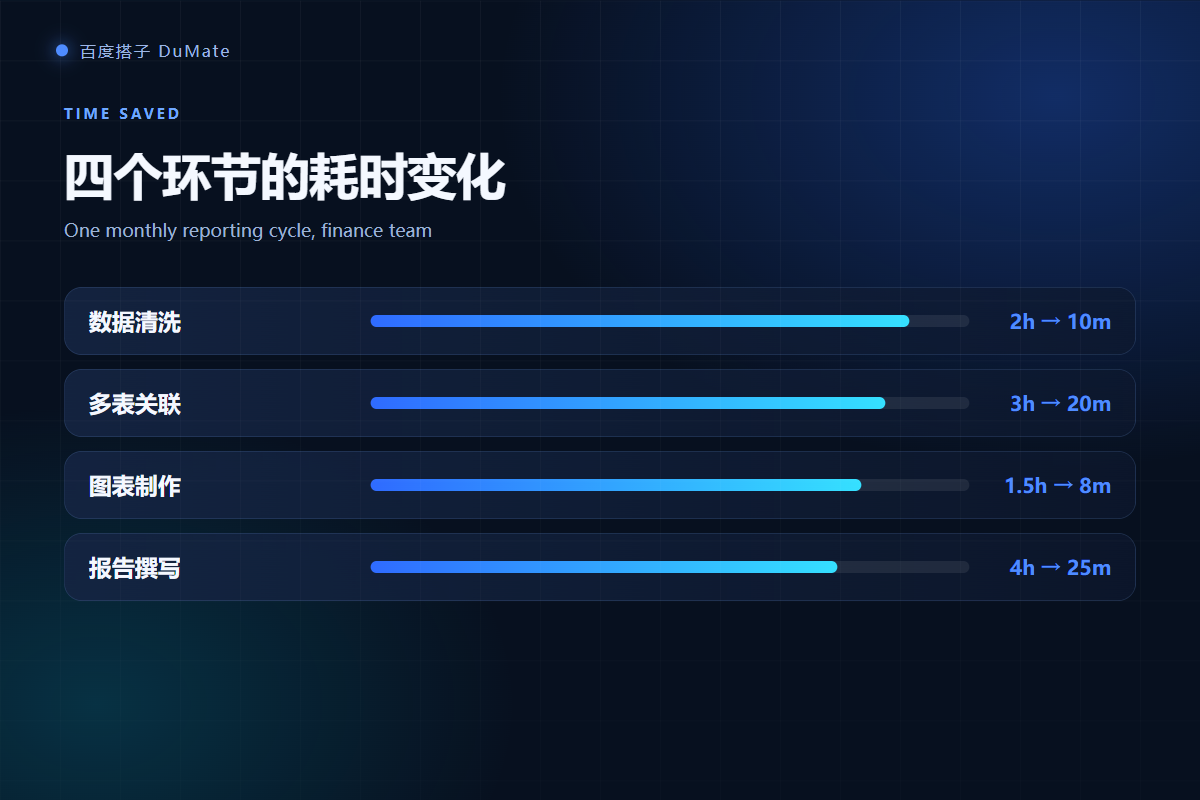
Verification has four checks: row counts, a three-row manual recalculation, a total comparison against the source, and a review of the change log. Run all four before the report leaves your desk. In my test, the first pass failed the date check, and the second pass matched the manual total exactly.
- Row count before and after each join.
- Three random rows recalculated by hand.
- Grand total compared with the source file.
- Change log reviewed for silent deletions.
Sample reconciliation for AI数据分析工具
Pick the sample by category, not by convenience. If you only check the largest category, you will miss the small segment where the mapping failed. A five-minute review is enough when the sample is chosen well.
Common Failure Cases with AI数据分析工具
Three failures appear often. Mixed date formats shift monthly totals. Duplicate customer names merge two accounts. Missing values are treated as zero and distort averages. Each failure is visible in the change log if the tool produces one, which is why transparency matters more than speed.
Build vs Buy an AI数据分析工具
Buy when you need a repeatable monthly pipeline and a small team. Build when your data model is unusual or regulated. A hybrid approach works well: use an AI数据分析工具 for cleaning and first-pass charts, then keep the final calculation in a controlled spreadsheet or database.
If the output feeds a wider automation flow, read our guide to AI自动化流程. For document-heavy inputs, see the AI文档处理 workflow. Teams evaluating a wider rollout should start with the AI办公助手 task list.
Frequently Asked Questions
Can AI数据分析工具 replace Excel?
It can replace repetitive cleaning, joining, and chart preparation, but it does not replace a controlled model. Keep the final calculation in a reviewed spreadsheet or database when the number affects money, compliance, or external reporting.
Is my data uploaded?
It depends on the tool and the settings. Some desktop tools process files locally, while others call a cloud model. Check the network behavior and test with a non-sensitive export before you use client or financial data.
How accurate is the output?
Accuracy depends on the input rules and the verification step. With explicit date formats, join keys, and metric definitions, the second pass matched my manual check on all 1,840 rows. Without those rules, the first pass produced two wrong monthly totals.
What file types are supported?
Most tools handle CSV, XLSX, and PDF exports. Scanned PDFs may need OCR, and merged cells often break the first parse. Convert one sample file and inspect the result before you batch process the rest.
References
延伸阅读: 《AI表格处理 怎么合并不出错?Merge and Reconcile Sheets》、《AI报告生成 怎么从数据到结论?From Data to a Report》、《AI数据清洗 先做什么再分析?Fix Data Before Charts》。
评论
还没有评论,来说两句吧。以下为本文的引用通告: