
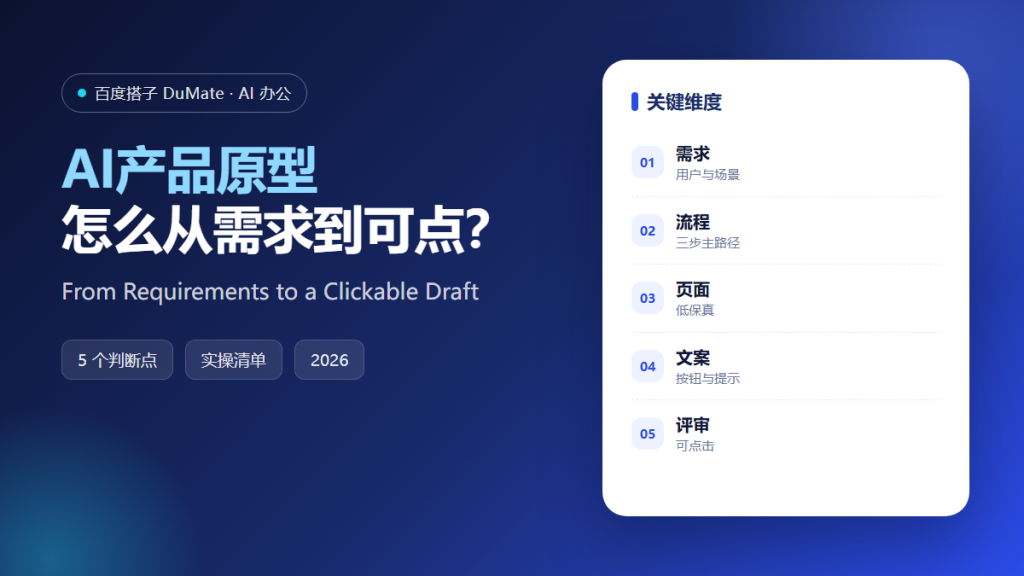
AI产品原型 is useful for one reason: it makes vague ideas concrete enough to criticize. A document can hide a missing step. A clickable draft cannot. The goal is not a polished design. The goal is a shared picture of what the user will do, in what order, and what happens when something goes wrong.
This guide covers the five-step process we use to move from a requirement to a reviewable prototype, plus the review questions that catch most gaps.
Key Takeaways
- Start with one user and one scenario.
- Design the main path before the edge cases.
- Keep the prototype low fidelity.
- Write the button and error copy.
- Review by clicking, not by presenting.
Why AI产品原型 Beats a Long Requirements Document
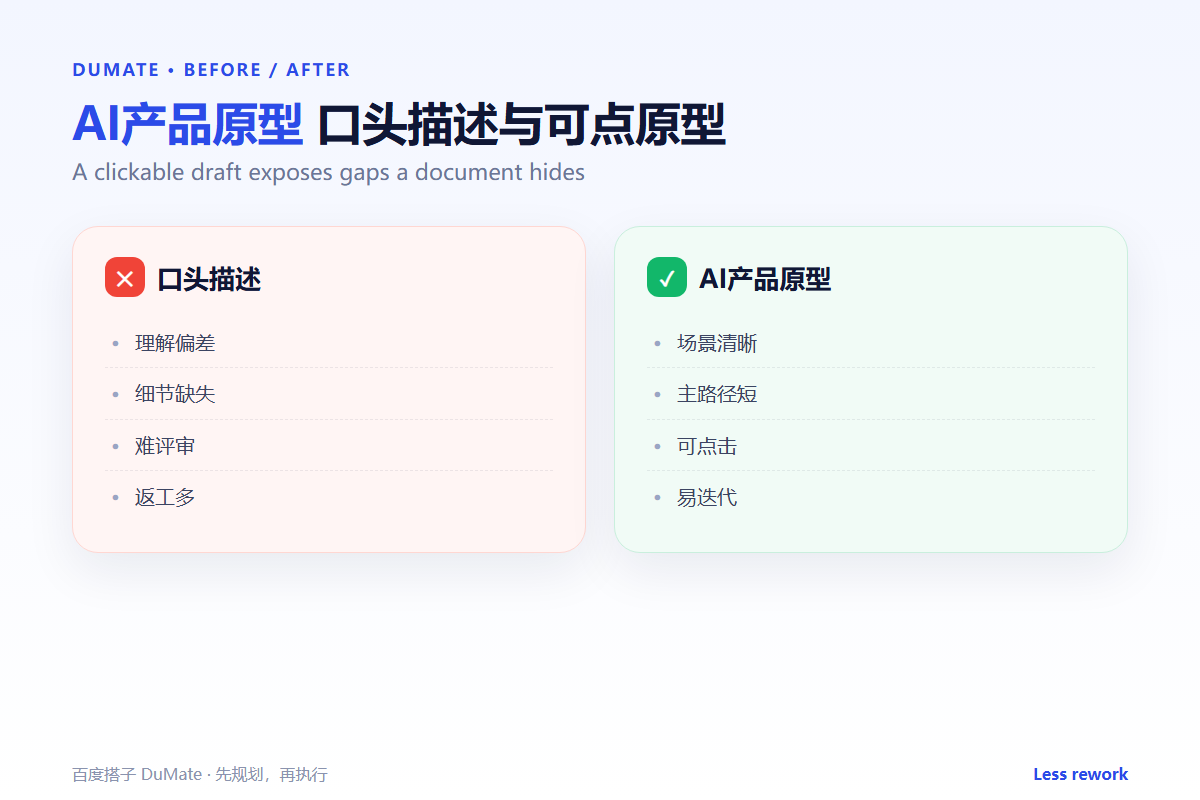
A requirements document describes intent. A prototype demonstrates behavior. When stakeholders click through a flow, they notice the missing confirmation, the unclear label, and the dead end that nobody mentioned in the meeting. AI产品原型 makes those gaps visible early, when they are cheap to fix.
The second benefit is speed of alignment. Engineering, design, and business teams read documents differently. A clickable prototype gives them a common object to point at. The conversation moves from what do you mean to what happens after this button. AI产品原型 turns an abstract debate into a specific edit.
The third benefit is scope control. A prototype forces you to choose the main path. Once the main path is clear, every additional feature has to justify itself against a visible flow rather than an endless wish list.
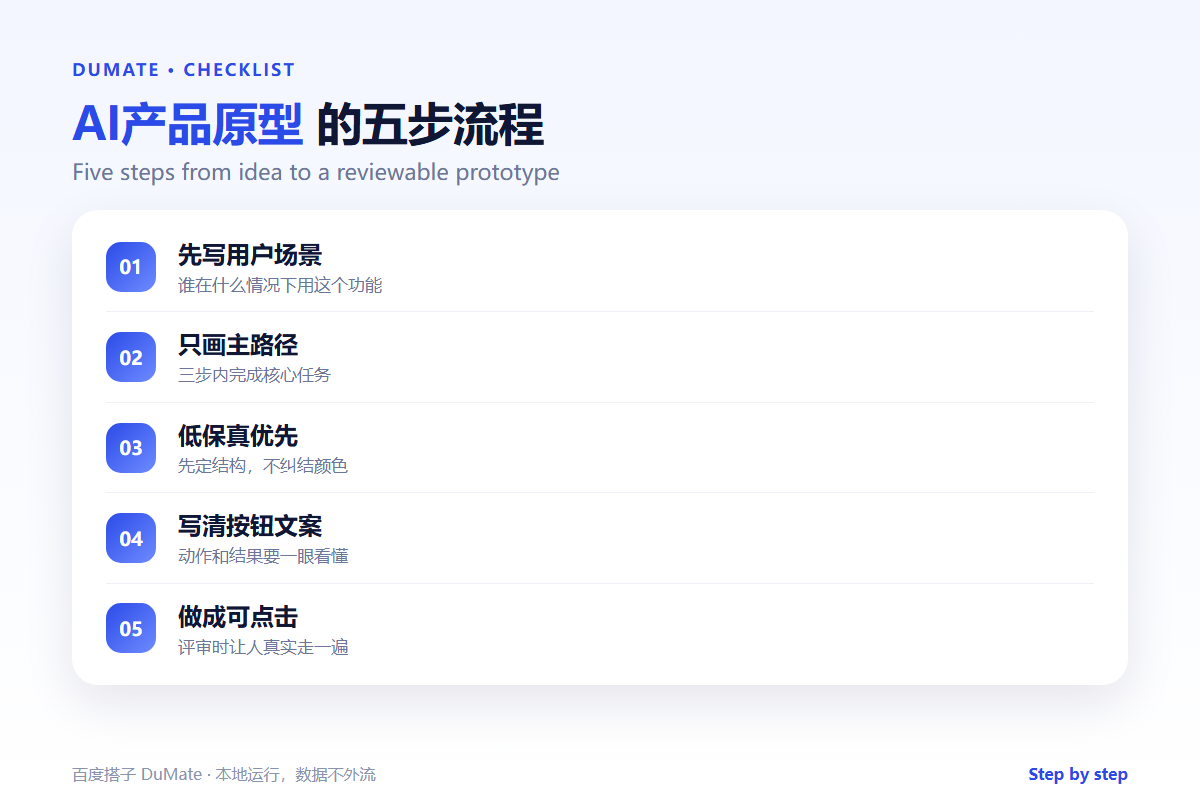
How AI产品原型 Works in Five Steps
Step 1: Write the user and the scenario
Name the user, the trigger, and the outcome. For example: a team lead receives a request, needs to approve it, and expects the requester to be notified. One sentence like this prevents the prototype from becoming a generic dashboard.
Step 2: Draw the main path
Limit the main path to three screens: entry, action, confirmation. If the task cannot be completed in three steps, question the task before adding screens. AI产品原型 works best when the flow is short enough to review in one sitting.
Step 3: Keep fidelity low
Use boxes, labels, and placeholder data. Avoid colors and detailed styling at this stage, because polish invites opinions about taste instead of structure. A low-fidelity AI产品原型 keeps the review focused on logic.
Step 4: Write the copy
Every button, field, and error message needs real words. Submit is not a label; approve and notify requester is. Write the empty state and the failure state too. Most usability problems are copy problems in disguise.
Step 5: Review by clicking
Ask three people outside the project to complete the task without guidance. Watch where they hesitate. Fix the flow, then review again. A prototype that survives this test is ready for engineering.
A Review Checklist
- One user, one trigger, one outcome.
- Main path takes three screens or fewer.
- Every button has a specific label.
- Empty, loading, and error states exist.
- A stranger can finish the task unaided.
Where AI产品原型 Fails
It fails when the prototype becomes a design contest. High-fidelity mockups invite feedback on shadows instead of flow. It also fails when edge cases are ignored, because real users rarely follow the happy path. Finally, it fails when the prototype is presented instead of tested; a demo hides confusion that a click-through reveals.
- Too many screens in the main path.
- Placeholder copy left in the review.
- No error or empty state.
- Reviewers debating colors instead of logic.
Before and After
Before, a team spent three weeks writing a specification and another two weeks debating it. After, the same team built a clickable AI产品原型 in two days, tested it with three users, and discovered that the approval step needed a comment field. The fix took an hour instead of a sprint.
The prototype did not answer every question. It answered the expensive ones early, which is the point.
A good AI产品原型 habit is to keep a library of past flows. When a new request arrives, start from the closest existing flow and change only what is different. That library saves time, and it keeps the product consistent as the team grows.
Finally, archive the prototype with the decisions it produced. A flow without its rationale becomes a mystery six months later. A short note on why a step exists is worth more than another round of redesign.
Pair the prototype with a one-page decision log. Record what changed after each review and why. When a debate returns two weeks later, the log answers it without reopening the AI产品原型. That small artifact saves more time than another design iteration.
Also decide what the AI产品原型 is not. It is not the final interface, not the technical design, and not the marketing promise. Keeping those boundaries clear prevents the review from turning into a debate about implementation details that the prototype cannot resolve. A clear boundary also makes the AI产品原型 easier to retire, because everyone knows the draft has done its job once the flow is built.
FAQ
Do we need a designer for this?
Not for the first draft. A designer adds value once the flow is stable. AI产品原型 is about logic first.
How many users should test it?
Three to five is enough to find the major problems. More users help with measurement, not with obvious gaps.
What tool should we use?
Anything that produces a clickable flow. The tool matters less than the discipline of testing with real copy.
延伸阅读
For presentation-ready slides, see AI生成PPT. To write the interface copy, read AI写作助手. Planning the build is covered in AI任务规划. For the metrics behind the flow, see AI数据分析工具. Reusable prompts are covered in AI技能. External references: NIST AI Risk Management Framework and W3C Web Accessibility Initiative.
评论
还没有评论,来说两句吧。