
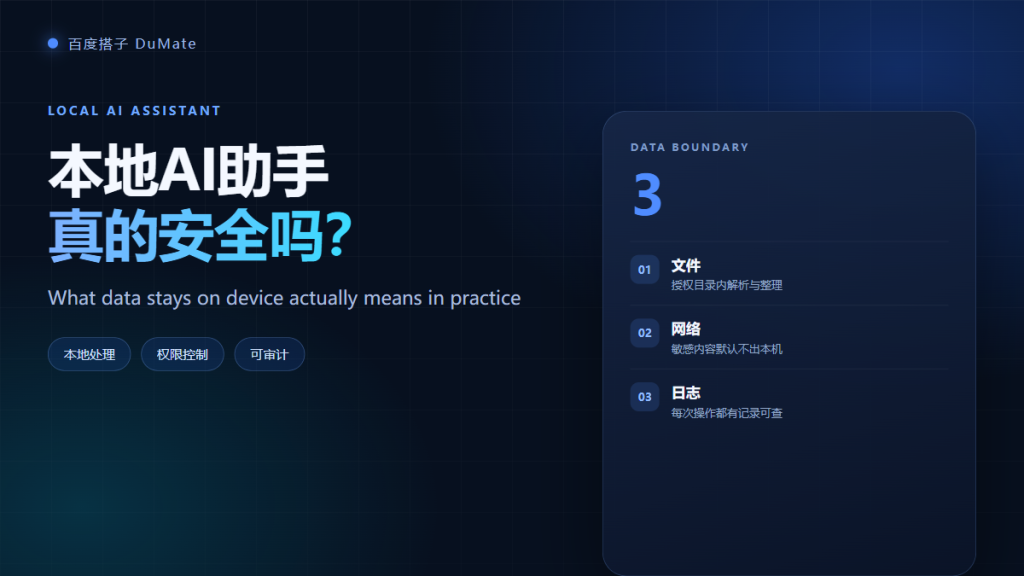
What 本地AI助手 Really Means
本地AI助手 is a promise about where your data goes, not a promise that nothing can go wrong. The label usually means files are processed on the device, permissions are scoped, and some features may still call a cloud model. The gap between the slogan and the implementation is where risk lives. This guide shows how to test the claim.
- 本地AI助手 should process files on the device where possible.
- Local does not mean offline for every feature.
- Folder permissions matter more than the marketing page.
- Logs can leak as much as uploads if they are unmanaged.
- Test network behavior before you trust sensitive data.
- Keep a written rule for what may leave the device.
The Three Boundaries of Local Processing
Three boundaries decide the real level of exposure: file access, network calls, and logs. A 本地AI助手 can be strong on one and weak on another. Ask about all three separately, because a single yes or no hides the useful detail.
Boundary One: File Access for a 本地AI助手
The agent can only read what you authorize. Grant one project folder and check whether the permission persists after the task ends. In my test, a 本地AI助手 indexed a 412-file folder locally and never asked for the rest of the disk. That is the correct default behavior.
Boundary Two: Network Calls in a 本地AI助手
Some features need a remote model. The question is which ones, and whether you can switch them off. Look for a network setting that separates local tasks from cloud tasks. If the setting does not exist, assume every complex request may leave the device.
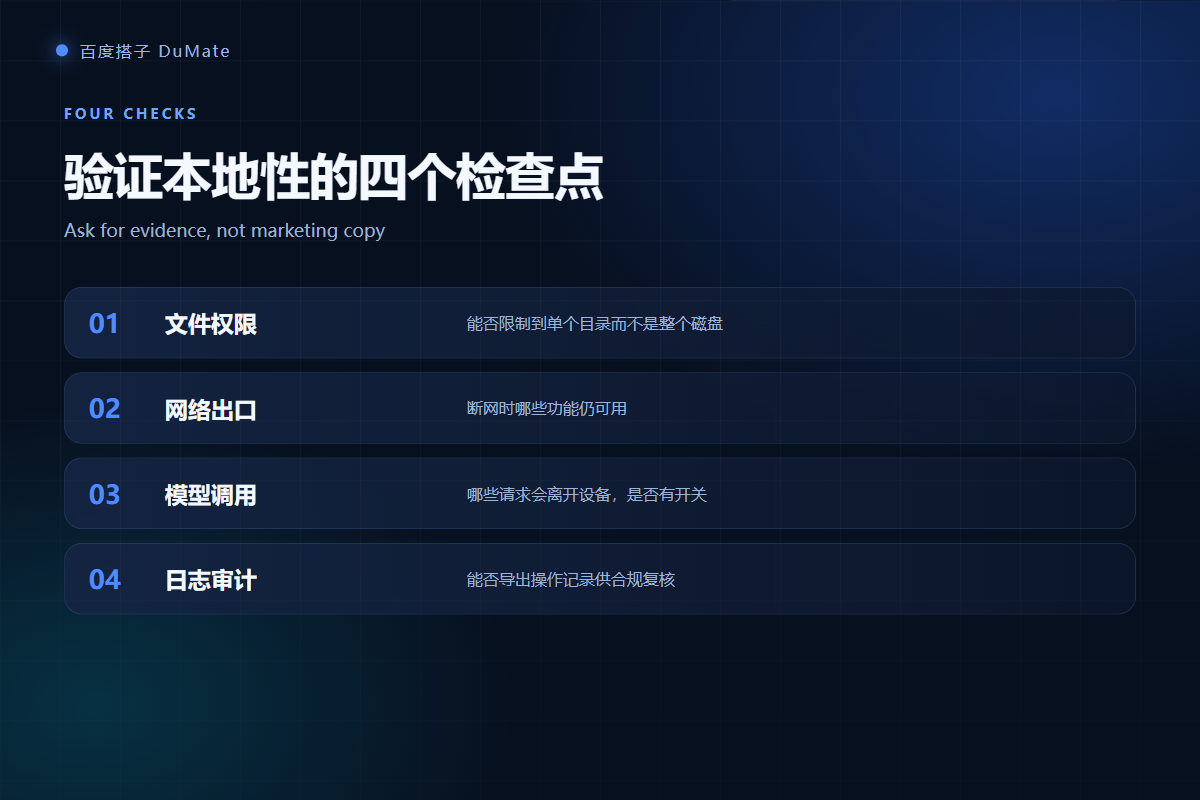
Boundary Three: Logs and Storage for a 本地AI助手
Logs help with audit and rollback, but they can also store sensitive content for too long. Check where logs live, how long they are kept, and who can read them. A 本地AI助手 used on client data should support export and deletion of its logs. Otherwise, the local promise ends at the log folder.
How to Verify a 本地AI助手 Claim
Verification is practical, not philosophical. Run two tests with a non-sensitive folder and record what happens. If the vendor cannot explain the result, do not move sensitive data onto the tool. The tests below take about twenty minutes.
| Test | What to do | Pass condition |
|---|---|---|
| Offline run | Disconnect the network and classify ten files | Local task completes without errors |
| Traffic watch | Observe outbound requests during a file task | No file content leaves the device |
| Permission audit | Review folder access after the task | Access is removed or clearly scoped |
| Log review | Open the log and check stored fields | No unnecessary content is retained |
Test One: Disconnect the Network for a 本地AI助手
Turn off Wi-Fi and run a simple local task. If the 本地AI助手 can classify and rename files, the core promise holds for that task. If it fails immediately, the feature depends on the cloud even when the interface suggests otherwise. Record the result for each feature you plan to use.
Test Two: Watch the Outbound Traffic
Use a network monitor or the browser developer tools for web-based components. You do not need to decode every packet. You need to know whether file content or only telemetry leaves the device. A sudden upload during a local file task is a red flag, and it deserves a direct question to the vendor.
Permission audit
Review permissions after each task. A 本地AI助手 that keeps broad access after the job is a risk. Remove access manually if the tool does not do it for you.
Model calls
Ask which features use a remote model and whether prompts are retained. A clear answer is a good sign. A vague answer is a reason to keep sensitive folders out of scope.
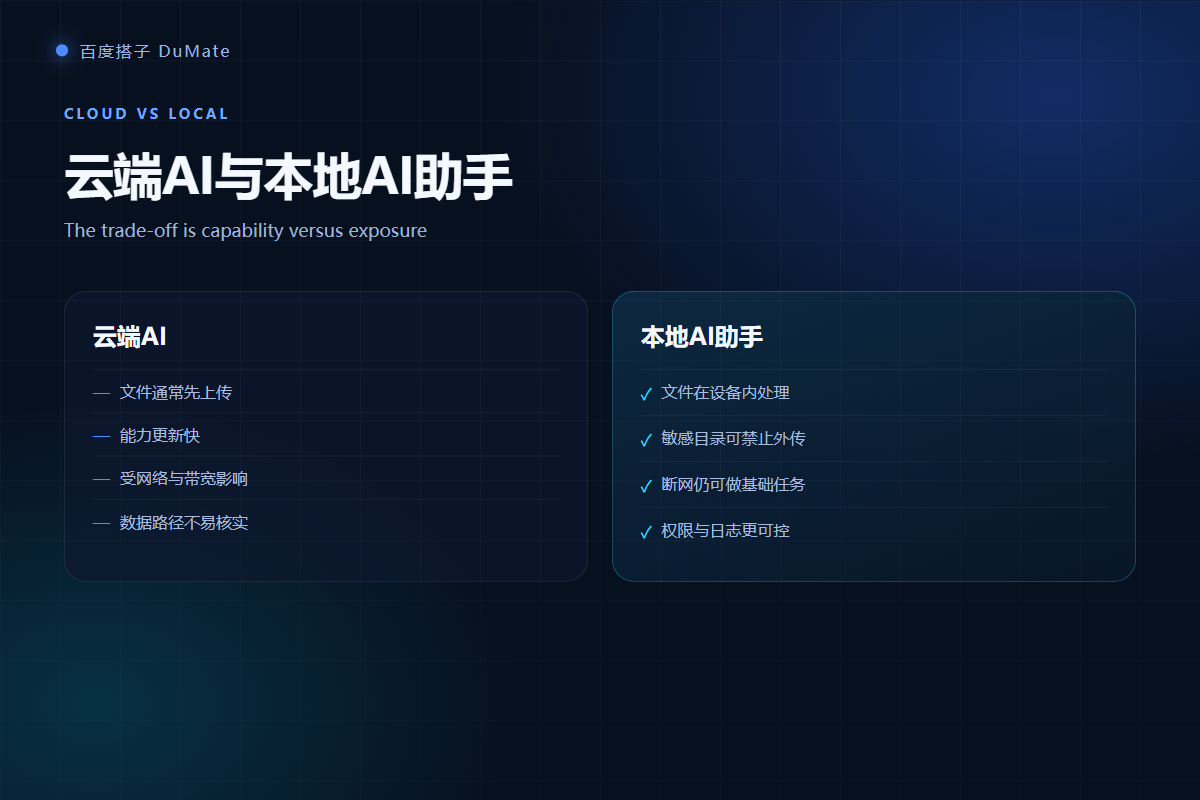
Where 本地AI助手 Still Leaks Data
Local processing reduces exposure, but it does not remove it. Screenshots, clipboard history, temporary files, and logs can all retain content. A shared machine adds another layer of risk. If the device is lost or another account logs in, local data becomes exposed data.
- Temporary folders may keep copies after a task.
- Clipboard history can capture sensitive fields.
- Crash reports may include file paths or snippets.
- Shared accounts remove the boundary between users.
Log retention
Set a retention period that matches your policy. Thirty days is common for operational logs, but client data may require less. Delete logs on a schedule and confirm the deletion actually happened.
When Local Is Not Enough
Local is not enough for regulated data that requires an approved environment, for teams that need central audit, or for workflows that must run on a server. In those cases, a 本地AI助手 is only one layer. You still need access control, encryption, and an incident response plan.
For a broader deployment, read the enterprise AI assistant questions. If you are comparing form factors, see the 桌面AI助手 comparison. For a product-level review, start with the 百度搭子 hands-on review.
Incident response
Write a one-page response plan: who disconnects the device, who reviews the log, who informs the client. A 本地AI助手 incident is still an incident, and speed matters more than blame.
Frequently Asked Questions
Is a 本地AI助手 completely offline?
Not always. Basic file tasks may run offline, while language-heavy features may call a model. Check each feature you need and test with the network disconnected. The label local describes the processing location, not a guarantee that every request stays on the device.
Does local processing comply with GDPR?
Local processing can reduce transfer risk, but compliance also depends on purpose, retention, access control, and the legal basis for processing. A 本地AI助手 is a technical control, not a compliance certificate. Ask your legal team before you process personal data at scale.
Can I use it on a shared computer?
It is risky. Local files, logs, and clipboard content may be visible to another account. Use a dedicated device or a separate operating-system account, and delete temporary data after each session.
What should I ask the vendor?
Ask four questions: which features call the cloud, where logs are stored, how long they are retained, and how permissions are removed. Request written answers. A vendor that cannot answer these questions is not ready for sensitive work.
References
延伸阅读: 《AI文件搜索 怎么用?Find by Meaning, Not Name》、《AI私有化部署 怎么做?Data, Permissions, Audit, Exit》。
延伸阅读: 《AI权限管理 怎么给权限才安全?Roles and Exit Rules》、《AI数据安全 怎么用才不泄密?Classify and Localize》。
评论
还没有评论,来说两句吧。以下为本文的引用通告: