
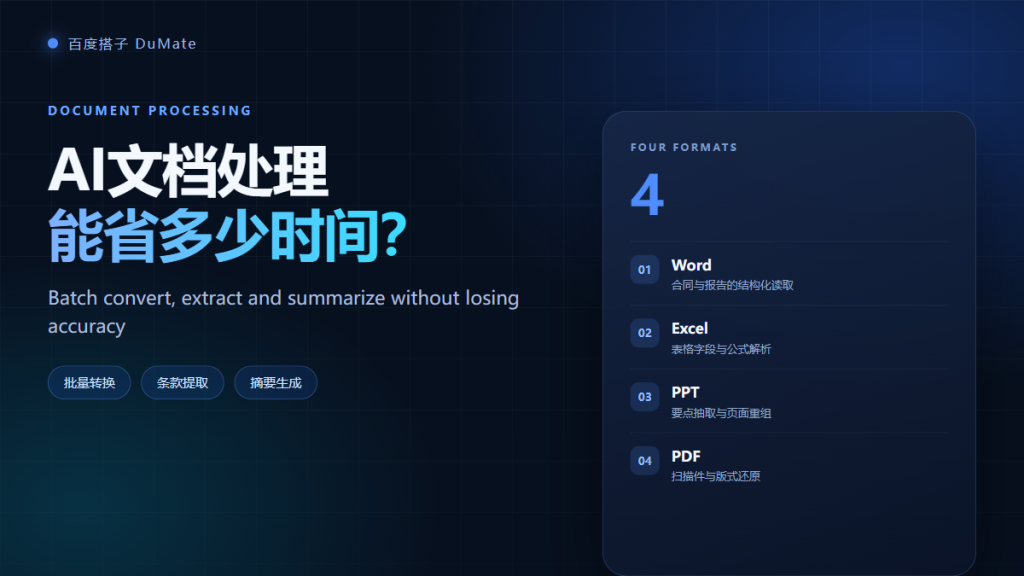
What AI文档处理 Covers
AI文档处理 covers four jobs: converting formats, extracting fields, summarizing content, and reorganizing files. Each job has a different error profile. Conversion is mostly mechanical, extraction needs validation, and summaries need a template. Treating them as one feature is the fastest way to get a wrong result.
- AI文档处理 saves the most time on batch conversion.
- Field extraction needs a defined schema.
- Summaries improve when you supply a template.
- Scanned PDFs still depend on OCR quality.
- High-risk fields need human review.
- Keep the original file and a change log.
Formats and Conversion Rules for AI文档处理
Most teams deal with Word, Excel, PowerPoint, and PDF. Conversion rules should state the target format, the naming pattern, and whether the original is kept. A good AI文档处理 workflow converts into a working folder and never overwrites the source.
| Format | Common task | Risk |
|---|---|---|
| Word | Extract clauses and headings | Tracked changes and comments |
| Excel | Merge sheets and calculate totals | Merged cells and hidden rows |
| PowerPoint | Pull key points and rebuild | Text inside images |
| Convert or extract text | Scans and multi-column layout |
Extraction: Contracts and Reports
Extraction turns a document into structured fields. Define the schema first: party names, dates, amounts, renewal terms, and notice periods. Then provide two examples of a correct row. Without a schema, AI文档处理 will produce a different structure for every file.
Summaries That People Can Use
A useful summary answers a specific question. Ask for decisions, risks, owners, and dates instead of a generic overview. A template such as five bullet points plus one open question produces a more consistent result than a free-form paragraph.
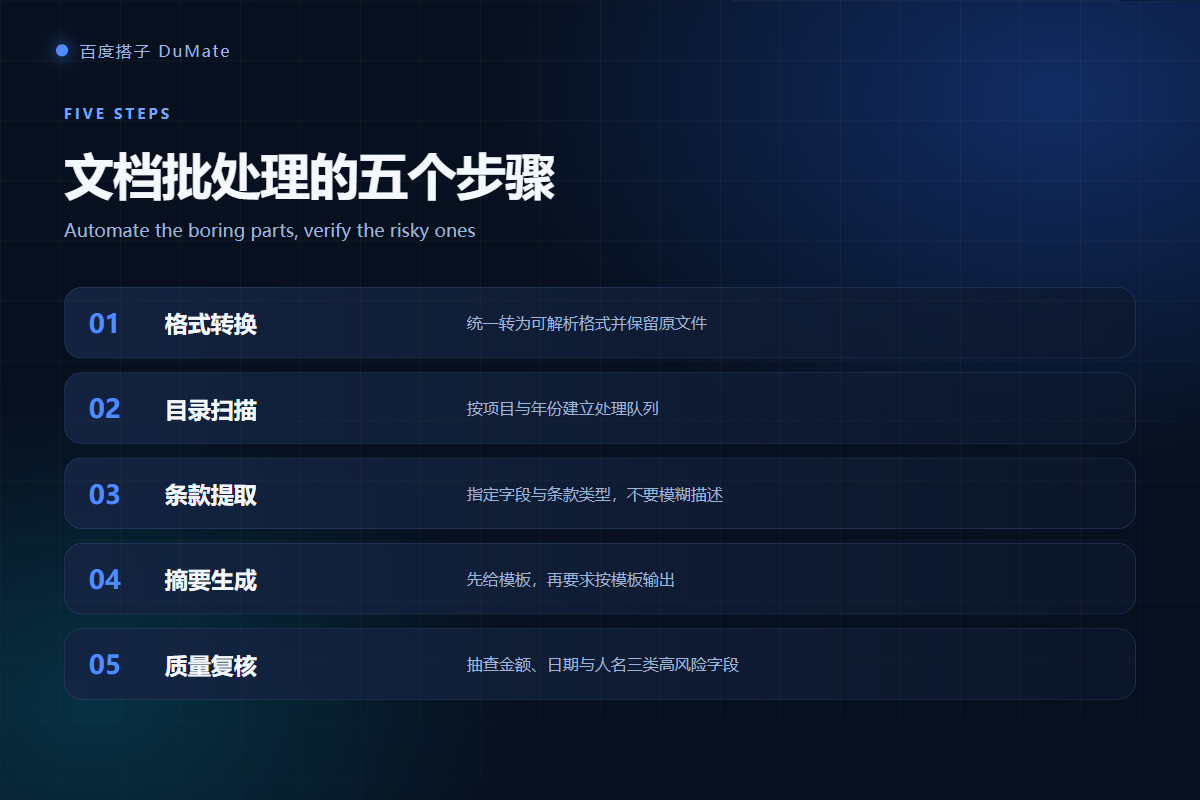
The Five-Step Batch Workflow
The workflow is collect, convert, extract, summarize, and review. Collect the files into one queue and record the source. Convert to a parseable format. Extract the fields. Summarize against the template. Then review the high-risk fields before anything is filed.
OCR limits in AI文档处理
Scanned documents depend on image quality. Skewed pages, stamps, and handwriting reduce accuracy. Ask for a confidence score and route low-confidence pages to manual review instead of accepting the first output.
Quality Checks for AI文档处理
Review money, dates, and names first. These three fields cause the most damage when wrong. Compare the extracted value with the source page, not with another summary. A second pass on ten percent of the batch catches most systematic errors.
- Check totals against the source documents.
- Confirm dates use one format.
- Verify party names against the registry.
- Flag missing fields instead of filling them.
Field validation for AI文档处理
Validation can be simple: a date must parse, an amount must be positive, and a contract must have two parties. Add a rule for empty values, and make the workflow stop when a required field is missing.
Handling Scanned PDFs
Scanned PDFs are images with a text layer only if OCR was applied. Test one page before the batch. If the text layer is missing, run OCR and inspect the result. Multi-column layouts often read across columns, so ask the tool to preserve reading order.
Security and Retention for AI文档处理
Documents often contain personal and commercial data. Use a local processing mode when possible, limit folder access, and delete temporary files after the batch. Set a retention rule for extracted data, because a structured table is easier to leak than a folder of PDFs. If the workflow uses a cloud model, confirm what is transmitted and how long it is stored.
Where AI文档处理 Fails
Failures cluster around three cases: poor scans, inconsistent templates, and ambiguous clauses. A contract that refers to another document may need the second file to interpret the first. A report with merged cells may lose a column. If the source is ambiguous, the tool should flag it, not guess.
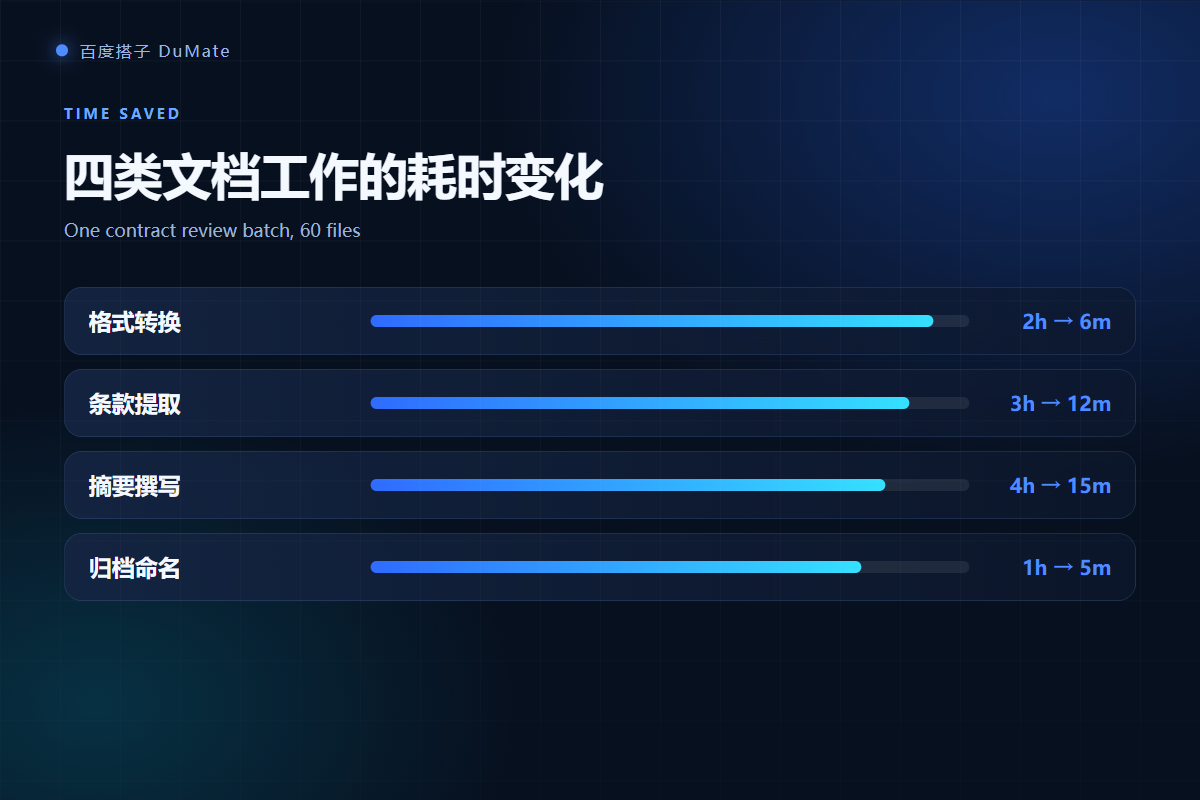
Naming rules
Name output files with the document type, date, and counterparty. This makes AI文档处理 output searchable and prevents duplicate work when two people process the same batch.
Human review for AI文档处理
Keep a reviewer for any document that creates a legal or financial obligation. The reviewer does not need to read every page. They need to check the fields that drive the decision and confirm the source page.
Build a Repeatable AI文档处理 Pipeline
A repeatable pipeline has a queue, a schema, a template, and a review step. Measure the time for each stage and the error rate by field. Then improve the stage with the highest cost. Most teams gain more from better input quality than from a larger model.
If the files are still scattered, start with the AI自动整理文件 workflow. When the output feeds a report, see the AI数据分析工具 guide. For the broader office context, read the AI办公助手 task list.
Frequently Asked Questions
Can AI文档处理 read handwriting?
It can read clear handwriting, but accuracy drops with cursive, stamps, and low-resolution scans. Ask for a confidence score and review the pages below the threshold. Do not use handwriting extraction for legal amounts without a human check.
Does it preserve formatting?
Conversion usually preserves headings and paragraphs, but complex layouts may shift. Tables, footnotes, and text boxes are the usual casualties. Check one representative page before converting the full batch.
Is it safe for contracts?
It can be safe with local processing, scoped permissions, and a retention rule. Contracts often contain personal and commercial data, so confirm where the text is processed and whether temporary files are deleted. Keep the original signed file untouched.
How many files can it process at once?
A few hundred files per batch is a practical starting point. Larger batches increase memory use and make review harder. Split by project or month, and keep a log of every file that failed.
References
延伸阅读: 《AI会议纪要 怎么生成?From Call to Action Items》、《AI生成PPT 靠谱吗?Outline, Layout and Export》、《AI合同审查 能看出什么?Clauses, Risks and Questions》、《AI知识库 怎么搭?From Folders to Answers》。
延伸阅读: 《AI表格处理 怎么合并不出错?Merge and Reconcile Sheets》、《AI报告生成 怎么从数据到结论?From Data to a Report》、《AI数据清洗 先做什么再分析?Fix Data Before Charts》、《AI文件转换 怎么批量转还不乱?Batch Convert Safely》、《AI OCR识别 怎么提取才准?Turn Scans Into Text》、《AI语音转文字 怎么转才可用?From Recording to Notes》、《AI写作助手 怎么写得像人写的?Draft Without Robotic Tone》、《AI翻译工具 怎么保证术语一致?Translate Without Drift》、《AI批量处理 怎么批量还不乱?Batch Work Safely》。
评论
还没有评论,来说两句吧。以下为本文的引用通告: