
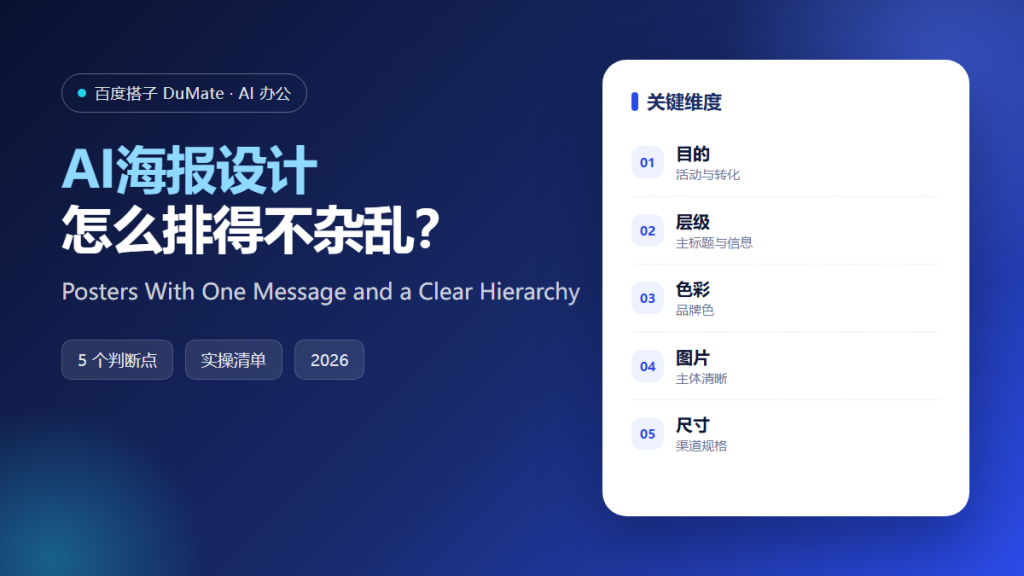
AI海报设计 makes it easy to produce something that looks finished. The risk is that it looks finished and communicates nothing. A poster is read in a few seconds, often from a distance, so the hierarchy matters more than the decoration.
This guide covers a five-step design process, the information layers that should exist on every poster, and the export checks that prevent a campaign from launching with the wrong dimensions.
Key Takeaways
- Write the one message before opening a design tool.
- Build three layers: headline, detail, action.
- Limit the palette to three colors.
- Use one strong image, not five weak ones.
- Export a version for every channel.
Why AI海报设计 Needs a Single Message
A poster has one job: make the viewer stop and understand. When the design tries to say three things, the viewer reads none. AI海报设计 will happily fill the space with text if the brief contains too much, so the writer must decide what the poster is for before the layout begins.
The second reason is hierarchy. A headline, a supporting detail, and an action should be visually distinct. If everything is bold, nothing is. AI海报设计 can produce layouts, but the ranking of information is a human decision.
The third reason is channel. The same campaign may run on a phone screen, a printed door sign, and a lobby display. AI海报设计 should output each size separately, with the hierarchy adjusted rather than simply scaled.
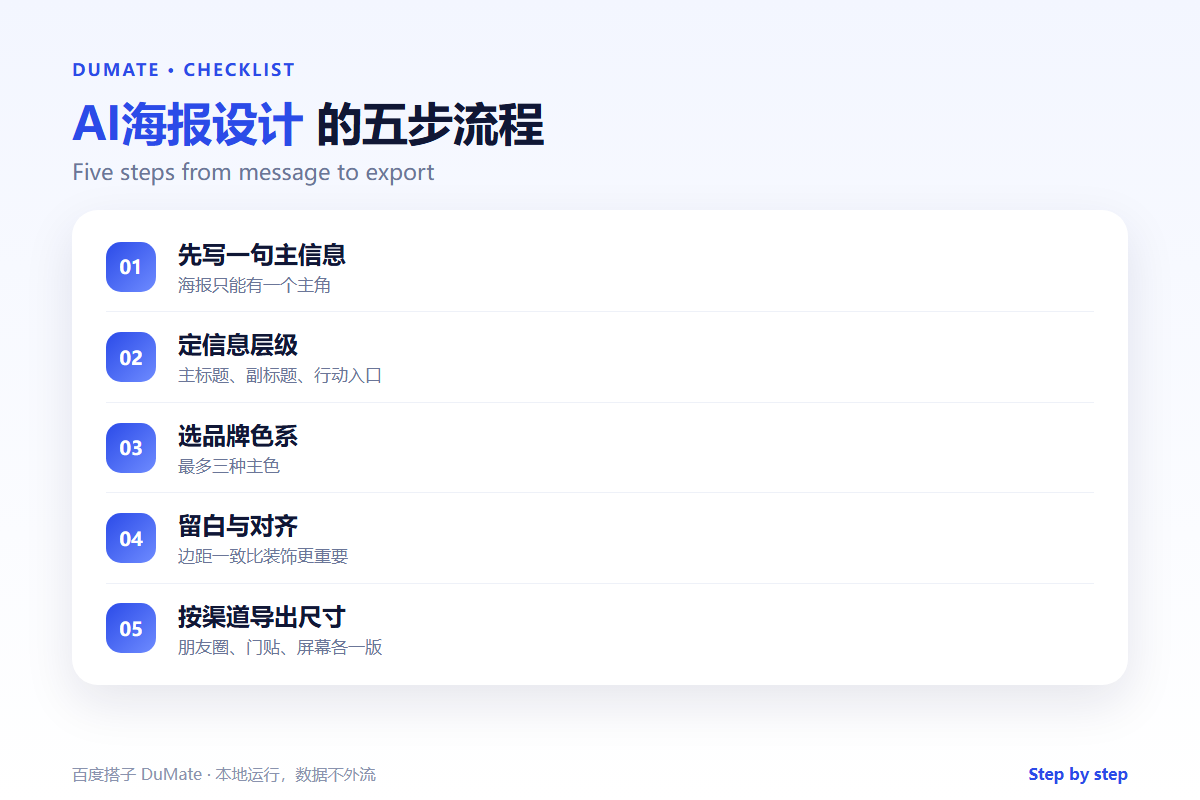
How AI海报设计 Works in Five Steps
Step 1: Write the main message
Complete one sentence: what should the viewer know or do after three seconds. Keep it under ten words. AI海报设计 should receive this as the only headline candidate.
Step 2: Set the information layers
Put the headline first, the supporting detail second, and the action third. Move everything else to a secondary surface such as a website or a QR code. AI海报设计 can suggest placement, but the layers must be decided first.
Step 3: Choose a restrained palette
Use one brand color, one neutral, and one accent. More colors compete for attention. AI海报设计 tends to add gradients; the designer should remove them unless they serve the message.
Step 4: Use one strong image
Choose an image that shows the subject clearly. Avoid collages and decorative icons that do not carry information. AI海报设计 can generate options, but the image must survive at small sizes.
Step 5: Export by channel
Check dimensions, bleed, safe margins, and file size. Produce a version for each placement. AI海报设计 should not be trusted to remember platform specifications.
A Poster Review Checklist
- The headline is readable from a distance.
- There are no more than three text levels.
- The palette has three colors or fewer.
- The action is visible without searching.
- Every channel has the correct size.
Where AI海报设计 Fails
It fails when the brief is a list of everything the organizer wants to say. It also fails when the design is judged on a large monitor and never checked on a phone. Finally, it fails when the image is attractive but unrelated, which makes the poster memorable for the wrong reason.
- Too many fonts and colors.
- Text placed over a busy image.
- Missing margins for print.
- A call to action that is invisible at small size.
Before and After
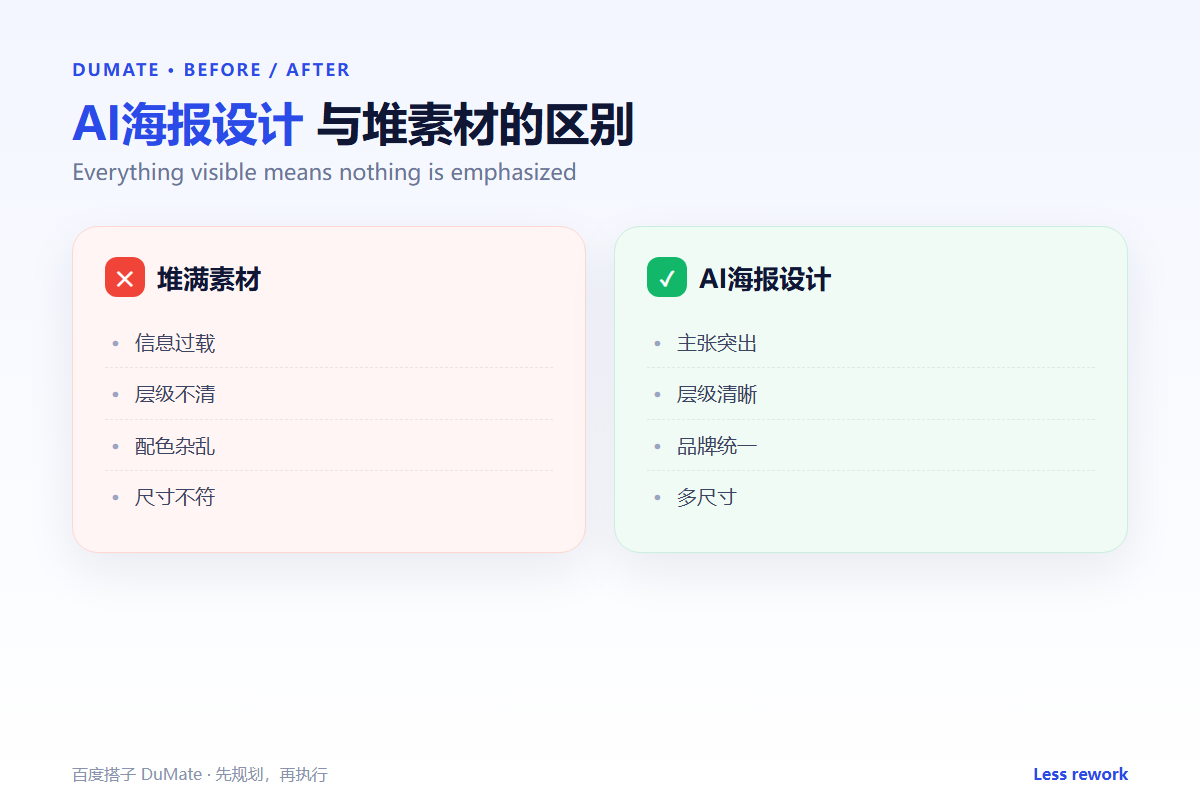
Before, a poster listed the date, the venue, six speakers, three sponsors, and a paragraph of description, and passers-by could not say what the event was. After, AI海报设计 produced a single headline, one image, and one action, with the details moved to a QR code. Recall improved because the poster had a priority.
Design is not decoration. It is the order in which information is understood.
Used consistently, AI海报设计 becomes part of the normal review routine rather than a separate project.
Measuring Whether It Works
Measure AI海报设计 with three numbers: time spent, rework required, and output accepted without changes. Track them for four weeks before drawing a conclusion. Set a baseline from the manual process, because without a baseline any result looks like progress.
Time alone is misleading. A task that finishes faster but needs a full rewrite is not an improvement. Pair time with rework, and pair both with the quality of the final output. AI海报设计 should be compared with how the work was done before, not with an ideal.
Review the numbers monthly with the people doing the work. They know why a week was slow or why rework increased. AI海报设计 improves when the review includes the operators, not only the managers. Keep the dashboard small: three numbers and one note are enough.
Also record the exceptions. A week with an unusual campaign or a system outage is not a fair test. Note the context next to the numbers so a later reader does not compare incomparable weeks. When the numbers are stable, expand the scope; when they move the wrong way, fix the input before adding more use cases. The goal is not to prove that AI海报设计 works, but to know when it works and when it does not.
FAQ
How much text can a poster hold?
Three levels: headline, one supporting line, and an action. Everything else belongs elsewhere.
Should I use the brand font everywhere?
Use it for the headline and the logo. Use a highly readable font for small text.
What is the most common export mistake?
Using screen dimensions for print. Check bleed and resolution before sending to a printer.
延伸阅读
For product visuals, see AI商品图生成. Presentation design is covered in AI生成PPT. For campaign copy, read AI广告文案 and AI商品文案. For drafting the message, see AI写作助手. External references: W3C Web Accessibility Initiative and NIST AI Risk Management Framework.
评论
还没有评论,来说两句吧。以下为本文的引用通告: