

AI批量重命名 is one of those tasks that looks trivial until something goes wrong. A wrong rule can overwrite a folder, break links in a document, or make a project impossible to search. The fix is not a smarter tool. The fix is a process with a preview and a way back.
This guide covers the five-step method we use for client folders, photo libraries, and shared drives, plus the naming rules that make files easy to find later.
Key Takeaways
- Define the naming rule before touching files.
- Preview the old and new names side by side.
- Handle duplicates without overwriting.
- Keep a mapping file for rollback.
- Process in small batches.
Why AI批量重命名 Needs a Reversible Process
Renaming feels safe because the content does not change. In practice, the name is often the only link between a file and the system that references it. A renamed invoice can break an accounting import; a renamed image can break a catalog feed. AI批量重命名 makes the operation fast, which also makes a mistake fast.
The second issue is consistency. Teams accumulate files from email attachments, phone photos, and exports, each with its own naming habit. A single rule brings order, but only if the rule is applied to the whole set and documented.
The third issue is trust. Once a team has been burned by a bad rename, they stop using automation for file work. A preview and a rollback map are what make the tool acceptable to cautious colleagues.
How AI批量重命名 Works in Five Steps
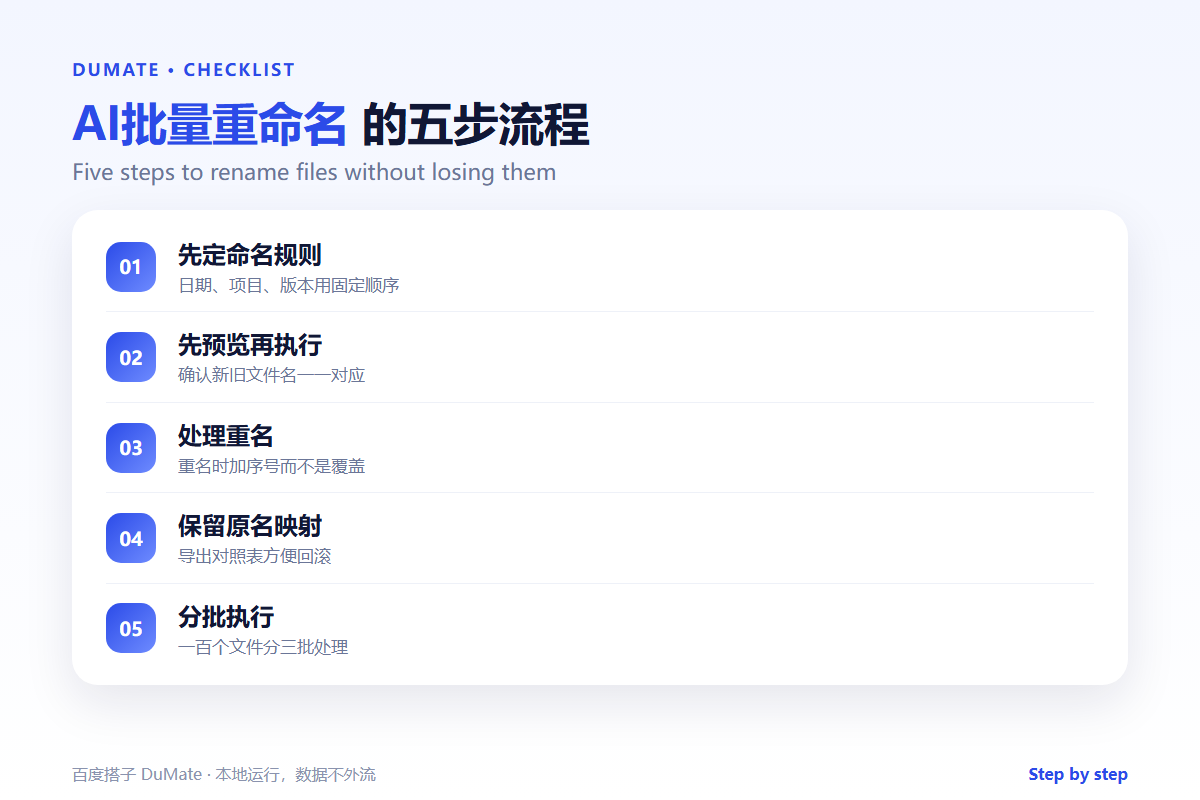
Step 1: Write the naming rule
Use a fixed order: date, project, document type, version. Write an example and a counter-example. Decide how to handle spaces, Chinese characters, and special symbols before the batch runs.
Step 2: Generate a preview
Produce a table with old name, new name, and status. Read it before applying anything. This is the step where AI批量重命名 earns its place, because a preview is faster to review than a folder of files.
Step 3: Resolve duplicates
Decide whether duplicates get a sequence number, a date suffix, or a separate folder. Never let the tool overwrite silently. A duplicate is a signal that two files may be different versions of the same document.
Step 4: Save the mapping
Export a CSV with the old and new paths. Keep it with the batch log. If a link breaks or a colleague asks for the original name, the mapping answers the question in seconds.
Step 5: Run in small batches
Process a hundred files, check the result, then continue. AI批量重命名 is safest when each batch is small enough to inspect and small enough to reverse.
A Naming Rule That Ages Well
- Date first, in year-month-day order.
- Project or client code second.
- Document type third.
- Version last, with two digits.
- No spaces, no ambiguous abbreviations.
Where AI批量重命名 Fails
It fails when the rule is ambiguous, because two people interpret it differently. It also fails when files are open in another application, which can cause partial renames. Finally, it fails when the batch includes system files or shortcuts that should never be touched.
- Rules that depend on inconsistent source names.
- Duplicates overwritten without warning.
- Files locked by another program.
- No log of what changed.
Before and After
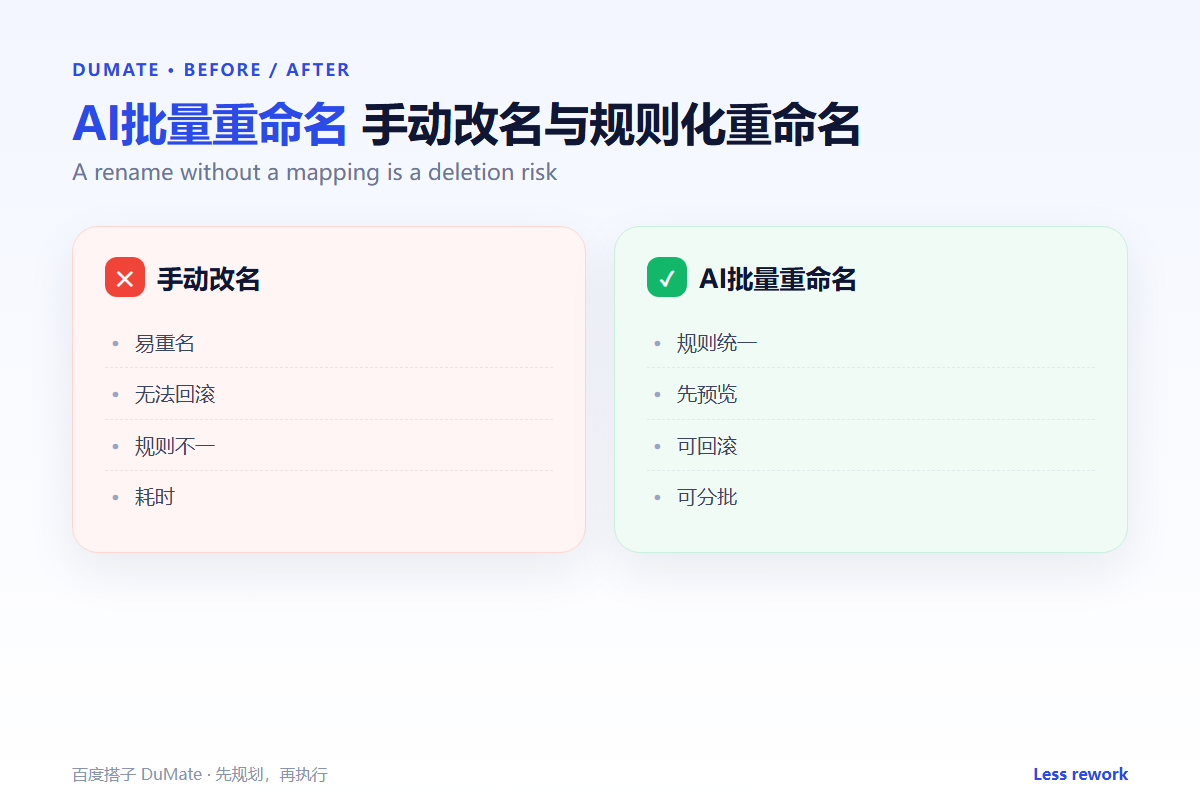
Before, a shared drive had four naming styles and a folder called final-final-v2. Finding a document took minutes of scrolling. After, AI批量重命名 applies one rule, keeps a mapping file, and the same search takes seconds. New files follow the rule because the example is visible in the folder.
The real benefit is not the renaming itself. It is the ability to predict where a file lives, which is what makes a shared drive usable by more than one person.
Review the rule once a year. Projects end, clients change, and a naming convention that made sense two years ago may now create very long names. A short annual review keeps the AI批量重命名 process from becoming another legacy habit.
Also tell the team where the mapping file lives. A rollback plan that nobody can find is not a rollback plan, and trust in the process depends on people knowing how to undo it.
Keep the preview in the same format as the final file list, so reviewers can compare line by line. A preview that hides extensions or full paths is not a preview. When the batch is large, split the preview by folder and approve one folder at a time; AI批量重命名 is easier to trust when the scope is visible.
Run the job during a quiet period, close the affected applications, and verify a small sample afterward. Those three habits turn AI批量重命名 from a risky shortcut into a routine operation. If a file is locked, skip it and record the reason instead of forcing the rename. A clean log is what makes the next AI批量重命名 run faster and safer. A good AI批量重命名 log also records the operator and the date, so a question months later has a clear owner. That is why every AI批量重命名 batch should end with a five-minute review of the log and the preview.
FAQ
Can we rename files that are linked elsewhere?
Yes, but update the links first or immediately after. Keep the mapping file so broken references can be traced.
What about Chinese file names?
Decide in advance whether to keep them, transliterate them, or use a project code. Consistency matters more than the choice.
How often should we clean names?
After each project close, plus a quarterly pass on shared folders. Small, regular batches are safer than one annual sweep.
延伸阅读
Start with folder structure in AI自动整理文件. For broader batch safety, see AI批量处理. Finding renamed files is covered in AI文件搜索. Conversion rules are in AI文件转换. For repeatable desktop actions, read AI操作录制. External references: NIST AI Risk Management Framework and ISO/IEC 42001.
评论
还没有评论,来说两句吧。