

AI测试用例 is not about writing more cases. It is about covering the paths that break. Most defects hide in empty values, long inputs, permission errors, and interrupted requests, which are exactly the paths a happy-path test skips.
This guide covers a five-step test design process, the boundary categories that deserve attention, and the maintenance habit that keeps a suite useful as the product changes.
Key Takeaways
- Start from acceptance criteria.
- Write one case per criterion.
- Add boundary and failure paths.
- Define test data and cleanup.
- Update the suite with every change.
Why AI测试用例 Needs Acceptance Criteria
A test without a criterion has no pass condition. It becomes a script that runs and reports whatever it sees. AI测试用例 should be generated from a clear statement of expected behavior, not from the implementation.
The second reason is regression. A suite built on the code tends to test how it works, not what it must do. When the implementation changes, the tests break for the wrong reason.
How AI测试用例 Works in Five Steps
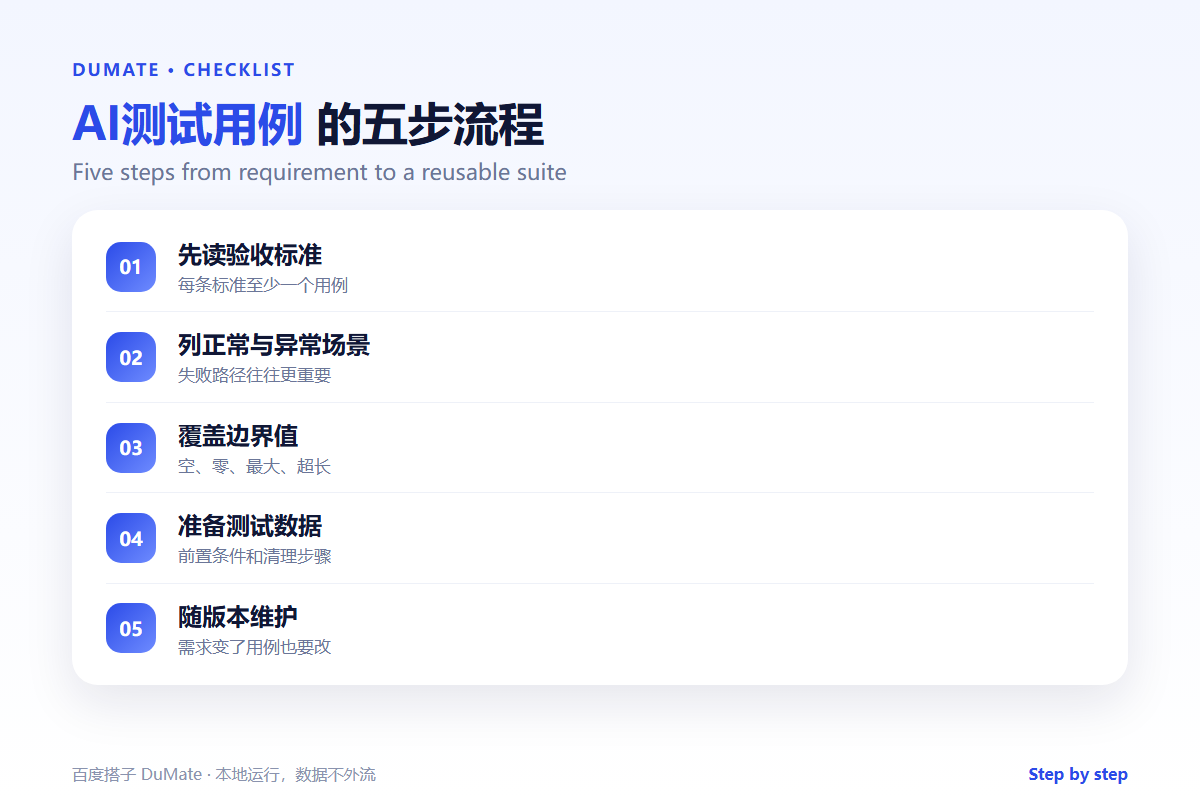
Step 1: Read the acceptance criteria
List each criterion and its expected result. AI测试用例 should map every criterion to at least one case.
Step 2: Cover normal and failure paths
Write the happy path and the most likely failure. Include permission errors and timeouts. AI测试用例 can propose failure scenarios that the team may have missed.
Step 3: Add boundaries
Test empty, zero, maximum, and over-limit values. Include special characters and long strings. AI测试用例 should name the boundary, not just the input.
Step 4: Define data and cleanup
State the preconditions, the test data, and the cleanup step. A test that leaves data behind breaks the next run. AI测试用例 can generate setup and teardown notes.
Step 5: Maintain the suite
Review the suite when requirements change. Remove tests that no longer reflect the product. AI测试用例 should link each case to the requirement it covers.
A Test Case Checklist
- Each case has an acceptance criterion.
- Failure paths are included.
- Boundary values are covered.
- Test data and cleanup are defined.
- The case is linked to a requirement.
Where AI测试用例 Fails
It fails when it generates dozens of similar happy-path cases and calls it coverage. It also fails when the expected result is vague, such as the page works.
- No expected result.
- Tests that depend on order.
- Missing permission scenarios.
- Suites that are never updated.
Before and After
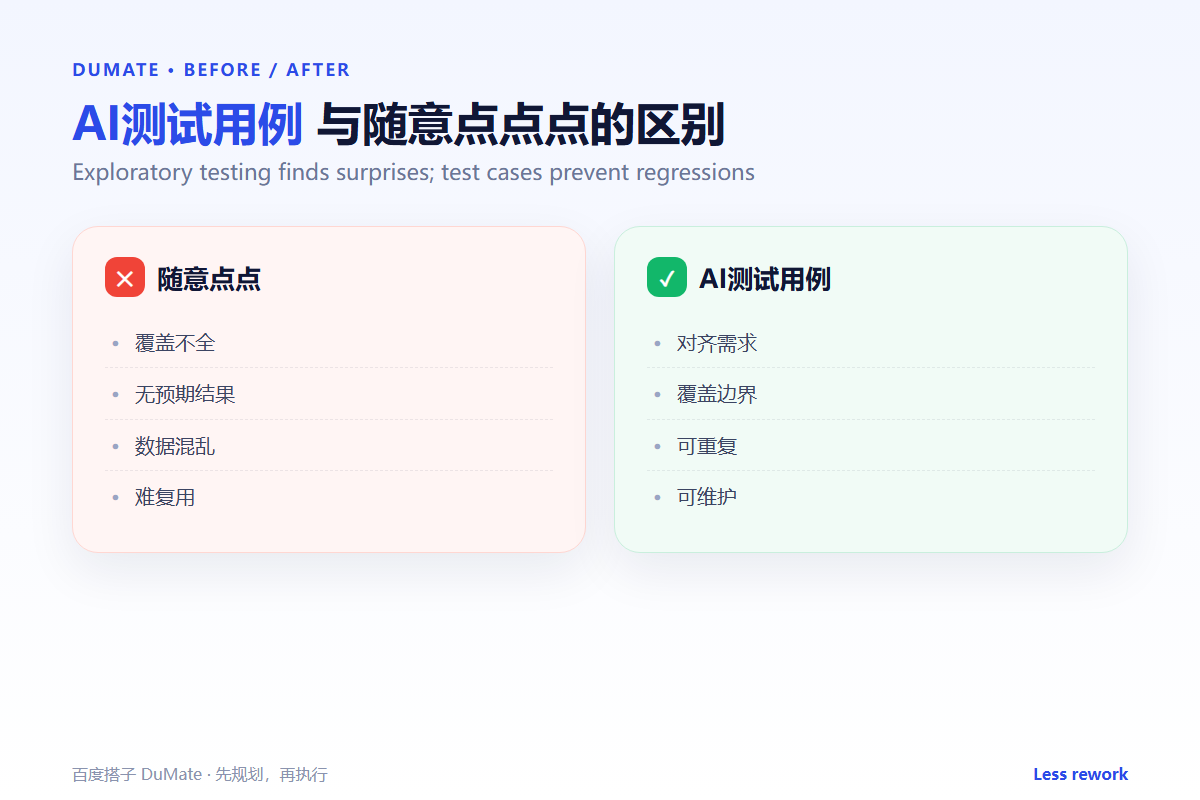
Before, the team tested the main flow manually and shipped a defect in an empty-field case. After, AI测试用例 added boundary and permission cases, and the defect was caught before release.
Testing is not a demonstration that the product works. It is a search for the cases where it does not.
Used consistently, AI测试用例 becomes part of the normal review routine rather than a separate project.
A final check with AI测试用例 takes a minute and catches the errors that are easiest to miss.
The same AI测试用例 routine works for small tasks and large ones, which is why teams keep using it.
Making It Stick Across a Team
A rollout fails when only one person knows how to use AI测试用例. Write a short guide with three sections: when to use it, what good input looks like, and what to check before sharing the output. Keep the guide to one page.
Train in pairs. One person runs the task while the other checks the output against the guide, then swap roles. That exercise surfaces unclear steps faster than a presentation. Keep a shared folder with one strong output, one weak output, and a note explaining the difference. AI测试用例 becomes easier to teach when people can compare real cases.
Review the guide after the first week of use. Remove steps nobody follows and add the questions that keep coming up. A living guide is more useful than a perfect one written in advance. Finally, assign an owner. AI测试用例 without an owner drifts, and the guide becomes outdated. The owner does not need to do every task, only keep the standard current. That small responsibility is what keeps AI测试用例 useful after the initial training.
Make the training practical. People learn the workflow by completing a real task, not by listening to a walkthrough. Set aside thirty minutes for practice and review the result together. Measure one thing: how many outputs pass review without correction. That number is a better indicator than attendance.
Keep the first month simple. One task, one owner, and one weekly review are enough to prove the workflow before it spreads across the team.
Write down what changed after each run. A short note is easier to trust than a memory, and it makes the next improvement obvious.
Review the output before it leaves your desk. A two-minute check catches most of the errors that would otherwise come back as questions.
Keep one example of a good result. New team members learn faster from a concrete reference than from a long explanation.
FAQ
How many cases are enough?
Enough to cover the acceptance criteria and the main failure modes. Coverage of behavior matters more than count.
Should tests be automated?
Automate stable, repetitive cases. Keep exploratory testing for new and ambiguous behavior.
What is the most valuable test?
The one that reproduces a real incident. Add it to the suite after every fix.
延伸阅读
For labeling quality, see AI数据标注. Clean test data with AI数据清洗. Access rules are in AI权限管理. Planning is covered in AI任务规划. For analysis, read AI数据分析工具. External references: NIST AI Risk Management Framework and ISO/IEC 42001.
评论
还没有评论,来说两句吧。