
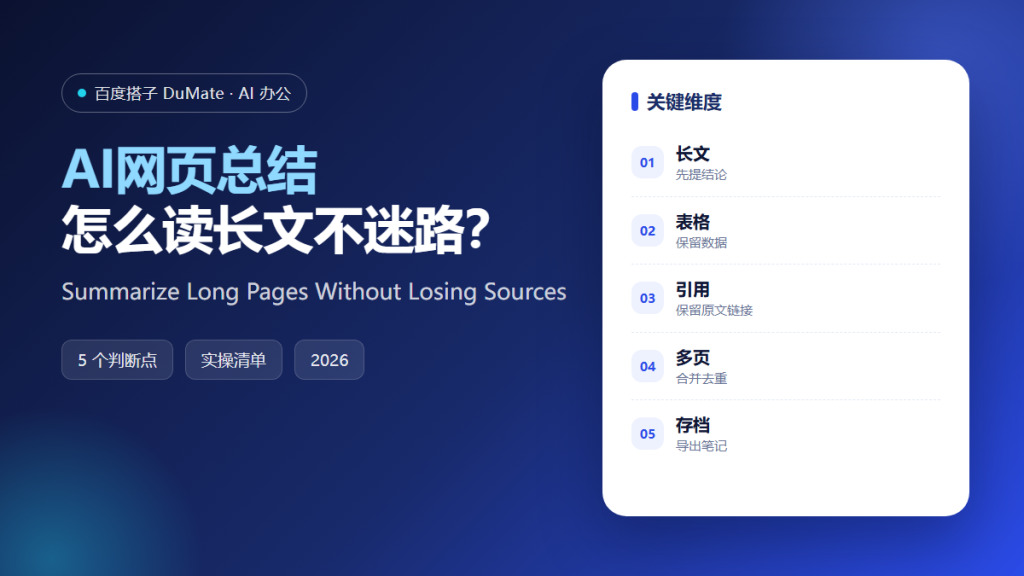
AI网页总结 is a reading tool, not a replacement for reading. Used well, it turns a forty-minute report into a two-minute briefing, with links back to the paragraphs that matter. Used badly, it produces a confident paragraph that quietly drops the number you needed. The difference is process.
This guide explains how to summarize long pages, multi-page reports, and research threads without losing sources, figures, or nuance.
Key Takeaways
- Ask for the conclusion first, then the evidence.
- Never let a summary replace a table.
- Keep one link per claim.
- Merge multiple sources by theme, not by page.
- Archive the summary with its sources.
Why AI网页总结 Saves Time Without Saving You From Reading
The average knowledge worker opens dozens of tabs a day and finishes very few of them. Summaries help because most pages contain one argument and a lot of supporting text. If the argument is what you need, a summary is enough. If the details are what you need, a summary is a map to the details, not a substitute for them.
AI网页总结 is especially useful for comparison work. Reading three vendor pages line by line makes it easy to lose track of which claim came from which source. A structured summary keeps the source attached to each claim. That structure is what makes the output usable in a decision memo.
There is a second, quieter benefit. Summaries make it cheap to decide not to read something. Most pages do not deserve forty minutes. A two-minute pass is often enough to know whether the page is worth a deeper read.
How AI网页总结 Works in Five Steps
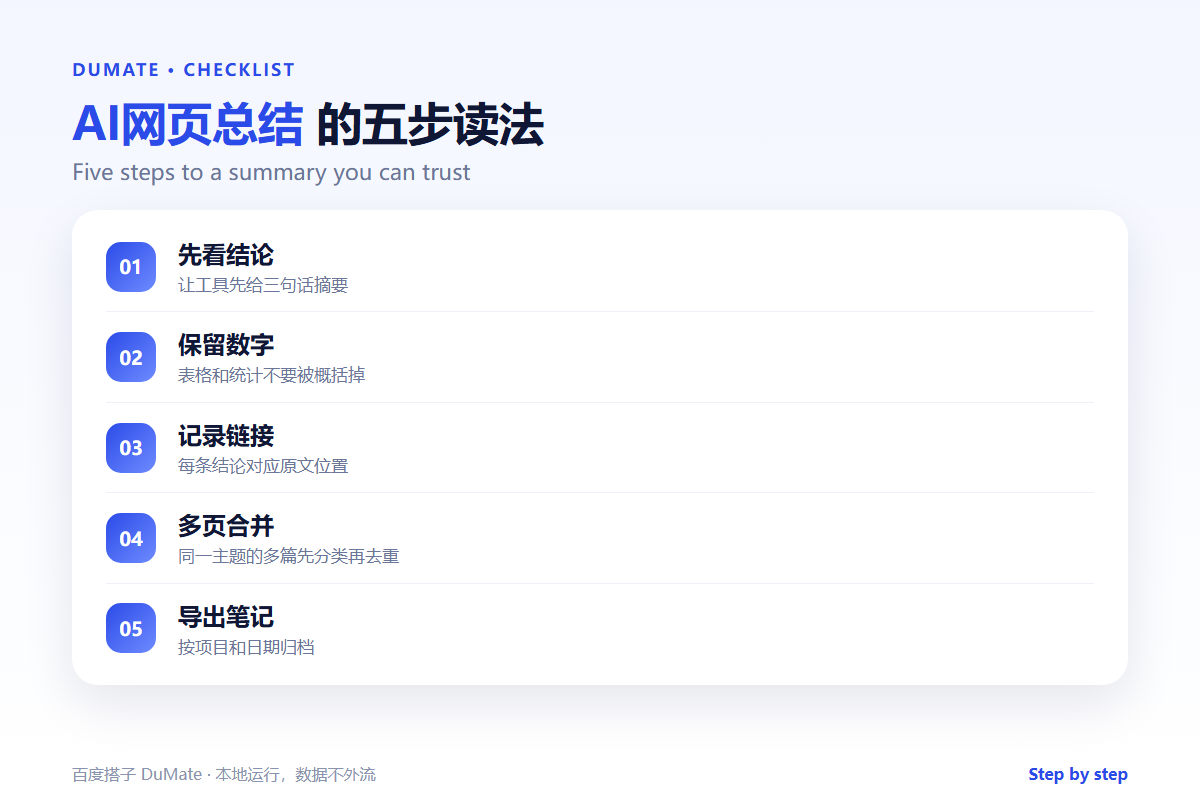
Step 1: Ask for the conclusion first
Request a three-sentence summary before any detail. This forces the tool to commit to a main point. If the three sentences are vague, the page may be vague too, or the extraction may have failed.
Step 2: Protect numbers and tables
Ask explicitly for all figures, dates, and units to be preserved. Tables should be copied, not paraphrased. A summary that says costs vary is less useful than one that says the plan costs 29 dollars per seat per month.
Step 3: Attach a source to every claim
Require a link or a section heading after each key point. When you paste the summary into a document, the link travels with it. This one habit prevents most fact-checking disputes later.
Step 4: Merge multiple pages by theme
When you have several sources, group the points by theme rather than by page. Note where sources agree, where they conflict, and which one is newer. AI网页总结 can do the grouping, but you should verify the conflicts yourself.
Step 5: Archive with context
Save the summary next to the links and the date you read them. A summary without a date becomes misleading after a product update. A short note about why you saved it is even better.
A Summary Template
- Bottom line in three sentences.
- Five key points, each with a source link.
- All figures and dates preserved.
- Conflicts between sources noted.
- One line on why this matters to the project.
Where AI网页总结 Fails
It fails on pages that are mostly interactive, such as dashboards and calculators. It fails on PDFs with complex layouts, where columns are read out of order. It fails on opinion pieces, because it tends to flatten a careful argument into a slogan. And it fails when the page is behind a login, since the tool cannot see what you can see.
- Numbers rounded without warning.
- Quotes attributed to the wrong speaker.
- Footnotes and caveats dropped.
- Older versions summarized as current.
Before and After
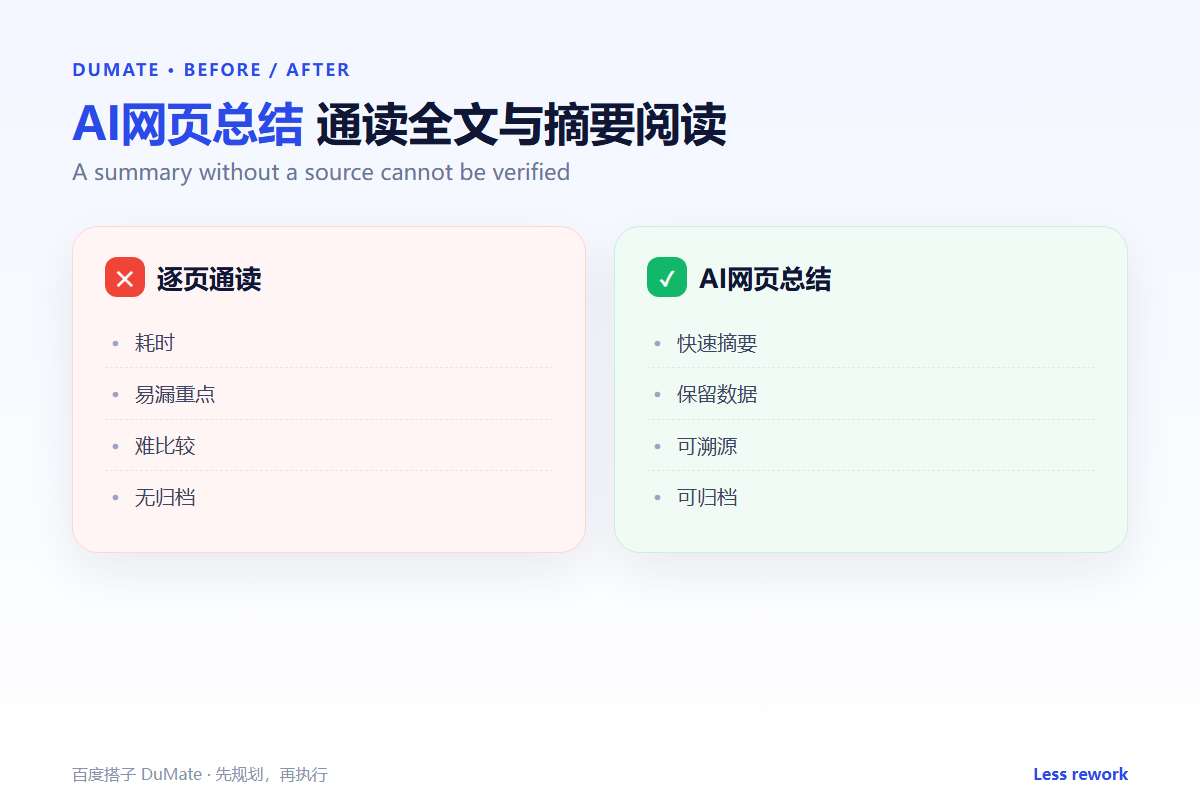
Before, a researcher reads four reports, takes messy notes, and spends another hour checking which report said what. After, each report produces a short summary with source links, and the merged brief takes twenty minutes. The researcher still reads the two most important sections in full. The difference is that the choice of which sections to read is now informed.
Speed is not the goal. Better allocation of attention is the goal. AI网页总结 gives you a cheap first pass so you can spend expensive attention where it matters.
A good way to test your process is to summarize a page you already know well. Compare the AI网页总结 output with your own understanding. Did it keep the main caveat? Did it preserve the numbers? Did it cite the right section? The gaps you find are the instructions you should add to your prompt.
It also helps to keep a folder of summaries organized by project. When a new AI网页总结 arrives, add it to the folder with the source link and the date. Over time, the folder becomes a small research library that is faster to search than the original tabs. That library is often more valuable than any single AI网页总结 output.
Remember that a summary is a claim about a source. Treat the AI网页总结 as a pointer, not as proof. When the stakes are high, open the source, read the relevant paragraph, and quote it directly. The best AI网页总结 workflow makes that final check easy rather than optional.
A weekly review of saved summaries keeps the habit honest. Skim the AI网页总结 notes from the past week and ask which ones changed a decision. If none did, you may be summarizing too much and reading too little. A good AI网页总结 habit is to write one line about why the page mattered, so the summary has a purpose beyond storage.
FAQ
Can I trust a summary for a decision?
Only after checking the figures and the original context. Use the summary to decide what to read, not to skip verification.
How long should a summary be?
Three sentences plus five bullets is a good default. Anything longer usually means you should read the source.
What about paywalled pages?
Open the page in your own browser and summarize the visible text. Do not ask the tool to guess what is behind the paywall.
延伸阅读
To find the right page in the first place, see AI文件搜索. To keep summaries searchable, read AI知识库. For turning notes into prose, see AI写作助手. If the source is in another language, use AI翻译工具. For the final write-up, see AI报告生成. External references: NIST AI Risk Management Framework and W3C Web Accessibility Initiative.
评论
还没有评论,来说两句吧。