
What AI自动整理文件 Can and Cannot Do
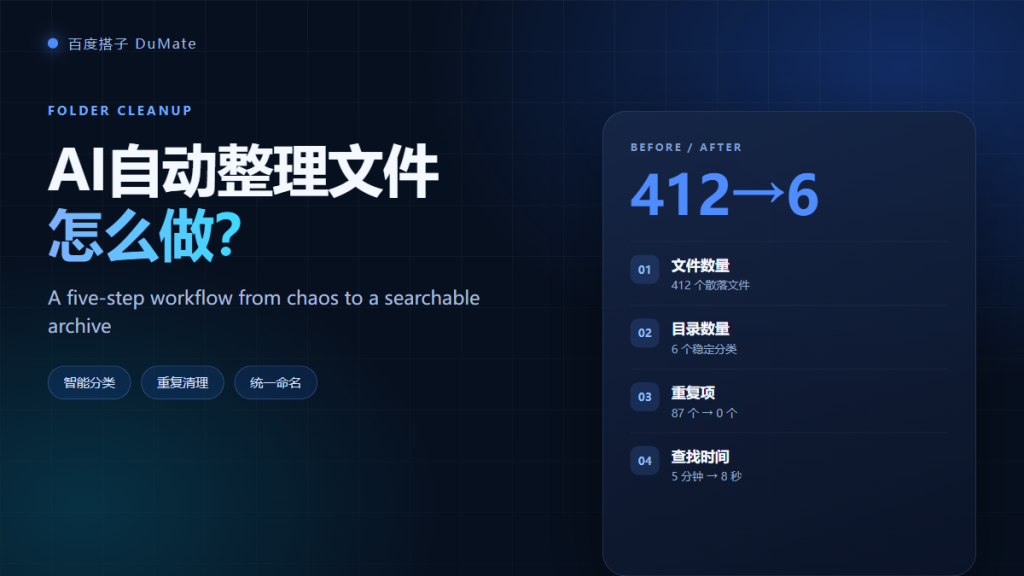
AI自动整理文件 is often sold as one click that turns chaos into order. The reality is more useful and more limited. The tool can classify, deduplicate, rename, and archive at scale. It cannot decide your retention policy or know which file matters to a client. This guide covers a five-step workflow that survived a real cleanup of 412 files.
- AI自动整理文件 is best at repetitive classification and renaming.
- Deduplication needs hash comparison, not visual inspection.
- Every bulk change needs a change list and a rollback copy.
- Naming rules must be written before the first run.
- Keep a human review sample of at least ten percent.
- Archive instead of delete when the policy is unclear.
The Five-Step AI自动整理文件 Workflow
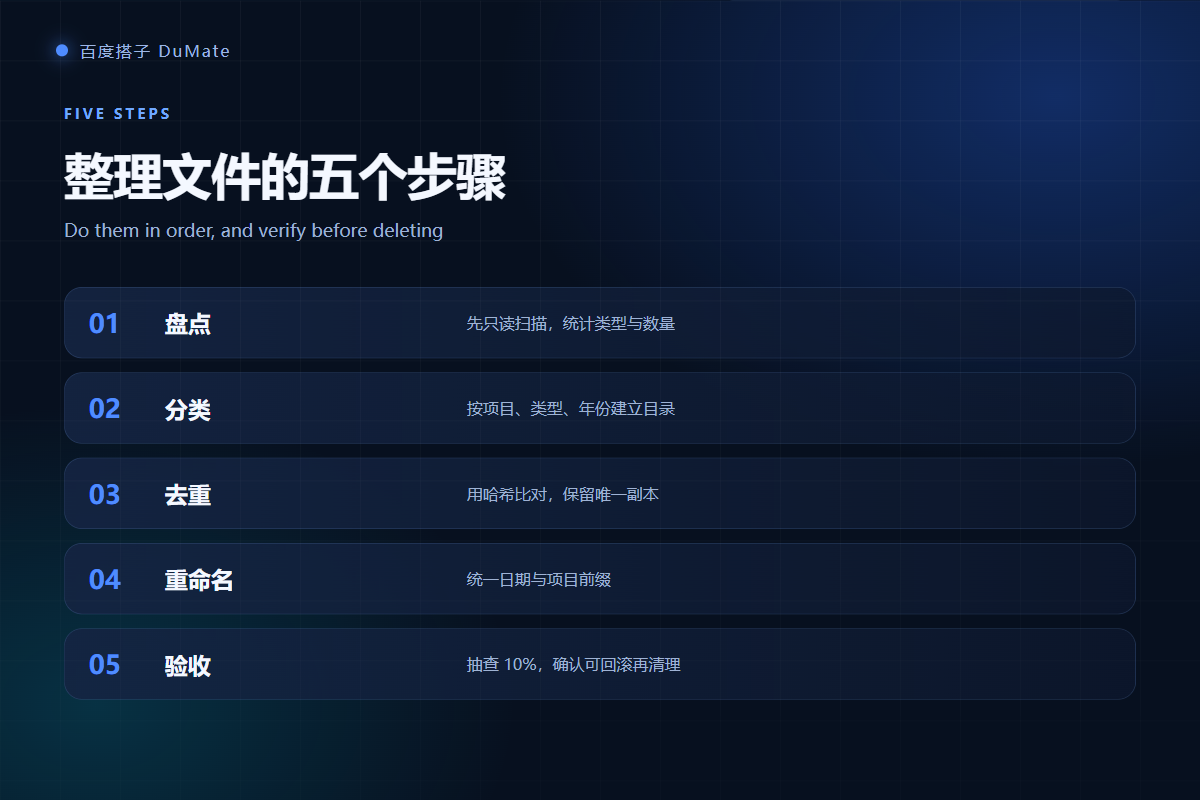
The workflow is scan, classify, deduplicate, rename, and verify. The order matters, because each step depends on a reliable output from the one before it. Skipping the scan is the most common reason a cleanup goes wrong.
Step One: Scan Before You Touch Anything
Start with a read-only scan. Ask the agent for file count, type distribution, size, and the oldest and newest dates. This baseline protects you later, because you can compare the final state against the original. In my test, the scan found 412 files, 87 duplicates, and 19 file types.
Step Two: Build a Classification Rule for AI自动整理文件
A rule is not a wish. Write down the folder structure, the priority when two rules conflict, and the handling of unknown files. For example: project first, year second, type third. Files that match nothing go to a review folder, not to the trash.
Naming conventions
Use one date format, one separator, and one project code. A pattern such as 2026-10-19_client_report_v2 is easy to sort and easy to search. Ask AI自动整理文件 to list every name it cannot parse instead of guessing.
Step Three: Deduplicate with Hashes
Visual comparison misses renamed copies. Hash comparison catches identical content even when the filename changed. Ask for a duplicate report with the kept copy and the removed copy, then approve the removal in batches. In the test, this step removed 87 duplicates without touching a single unique file.
Duplicate types AI自动整理文件 can catch
Three types matter: exact duplicates, same content with a different name, and near duplicates such as edited versions. Automate the first two. Review the third by hand, because a slightly different version may be the one that was actually sent.
Step Four: Rename in One Pass with AI自动整理文件
Batch renaming is safe only after classification. Otherwise you rename files into the wrong folders. Ask for a preview table with old name, new name, and target folder. Then approve the table, not the individual files. This gives you one decision instead of hundreds.
Step Five: Verify and Roll Back AI自动整理文件 Changes
Verification has three checks: file count, folder count, and a random sample of ten percent. Open the sample files and confirm they are readable. Keep the original folder or a compressed copy until the review is complete. If anything looks wrong, roll back the whole batch instead of patching it.

Review sample after AI自动整理文件 runs
Pick the sample by folder, not by name. If you only check the first ten files, you will miss the folder where the rule failed. A spreadsheet export of the final tree makes the review faster.
A Real Cleanup: 412 Files with AI自动整理文件
The test folder mixed client deliverables, invoices, screenshots, and random downloads. The agent finished classification in six minutes and the full workflow in nineteen minutes, including my review. The table below shows the outcome.
| Metric | Before | After |
|---|---|---|
| Files | 412 in one folder | 412 kept, 87 duplicates removed |
| Folders | 1 | 6 |
| Unclassified | Unknown | 11 in a review folder |
| Lookup time | About 5 minutes | About 8 seconds |
Common Mistakes with AI自动整理文件
Most failures come from three mistakes. First, granting the whole disk instead of one folder. Second, deleting duplicates before checking which copy is linked elsewhere. Third, using a naming rule that only one person understands. Each mistake is avoidable with a short written rule and one review pass.
- Do not delete the only copy of a shared file.
- Do not mix client data and personal data in one archive.
- Do not rename files that are referenced by other documents.
Archive policy for AI自动整理文件
Archive by year and project, and keep a read-only copy for at least one quarter. If your industry has a longer retention rule, set it before the cleanup begins. The agent can enforce a policy, but it cannot invent one for you.
When to Keep the Mess
Sometimes a messy folder is a sign of an active project. If files change daily, a strict structure slows people down. In that case, clean only duplicates and keep the working area flat. A good rule is: structure for finished work, speed for work in progress.
If your cleanup is part of a larger automation plan, read our guide to AI自动化流程. For document-heavy projects, the AI文档处理 workflow explains how to batch convert and extract content after the folder is clean. And if you are still choosing a tool, start with the 百度搭子 review.
Frequently Asked Questions
Can AI自动整理文件 delete files safely?
It can remove exact duplicates safely if you keep a rollback copy and review the duplicate report. It should never be the only approval layer. For anything that looks like a unique document, move it to a review folder and let a person decide.
Does it work with cloud drives?
It works best with folders that are synced locally. A cloud-only file may need to download before the agent can read it. Check the sync status first, and avoid running a bulk rename while another device is uploading changes.
How long does a cleanup take?
A folder with a few hundred files takes about twenty minutes including review. Large archives with tens of thousands of files take longer and should be split into batches. The scan step will give you a realistic estimate before you commit.
Will it preserve file dates?
Renaming usually preserves the modified date, but copying can change it. Ask the agent to keep the original timestamps and verify one file before the full run. If dates matter for compliance, test on a copy first.
References
延伸阅读: 《AI会议纪要 怎么生成?From Call to Action Items》、《AI文件搜索 怎么用?Find by Meaning, Not Name》、《AI知识库 怎么搭?From Folders to Answers》。
延伸阅读: 《AI表格处理 怎么合并不出错?Merge and Reconcile Sheets》、《AI文件转换 怎么批量转还不乱?Batch Convert Safely》、《AI OCR识别 怎么提取才准?Turn Scans Into Text》、《AI批量处理 怎么批量还不乱?Batch Work Safely》。
评论
还没有评论,来说两句吧。以下为本文的引用通告: