

AI老照片修复 sits between restoration and retouching. Restoration recovers what was there; retouching invents what was not. The distinction matters because old photographs are often family records, and changing a face changes the memory.
This guide covers a five-step restoration process, the details that should never be smoothed away, and the archive habit that keeps the original safe.
Key Takeaways
- Scan at the highest resolution available.
- Repair damage before adjusting tone.
- Keep faces recognizable and age-appropriate.
- Use period references for color.
- Save the restored version separately.
Why AI老照片修复 Needs Restraint
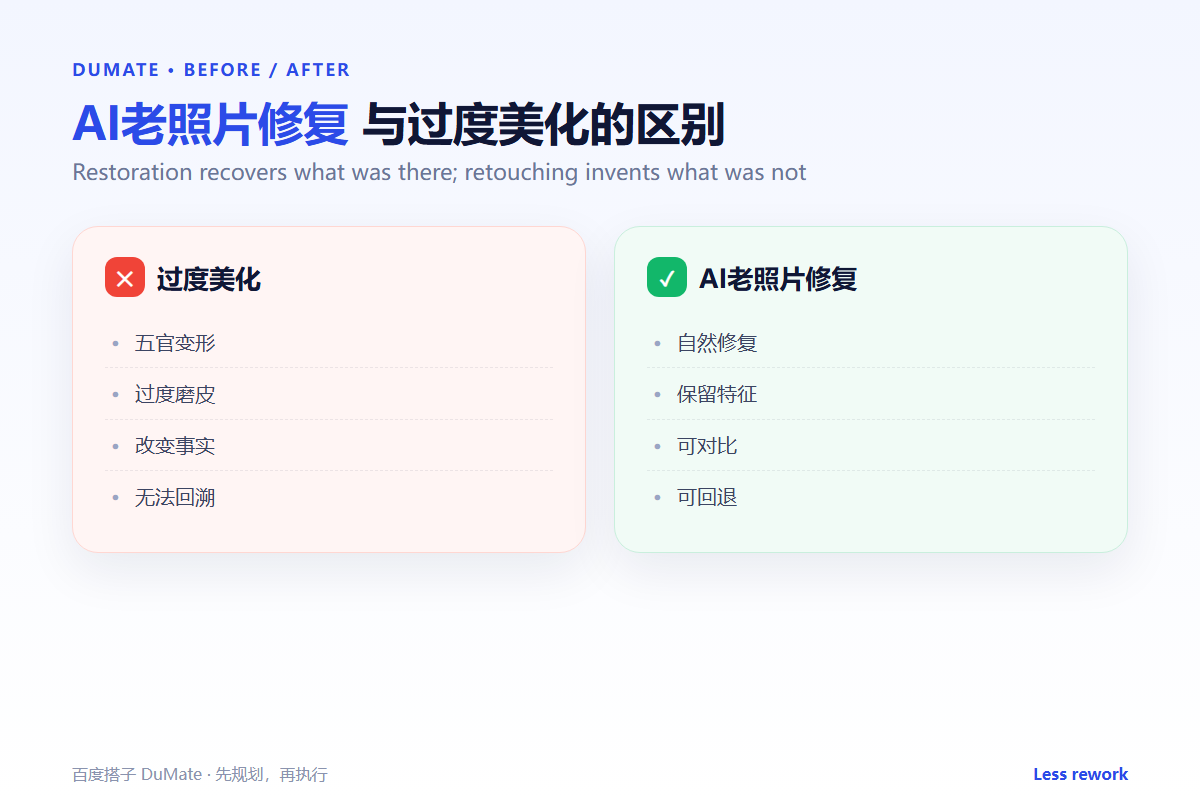
Modern restoration tools are trained on clean, sharp faces. Applied aggressively, they make a 1940s portrait look like a modern headshot. AI老照片修复 should preserve the grain, the lighting, and the character of the original.
The second reason is evidence. A restored photograph may be used in a family history or a legal context. Changing a detail can misrepresent the record. The original scan should always be kept.
How AI老照片修复 Works in Five Steps
Step 1: Scan the original
Use a flatbed scanner if possible, at six hundred dots per inch or higher. Capture the entire print, including the border. AI老照片修复 can only work with what the scan contains.
Step 2: Repair structural damage
Fix tears, scratches, and stains first. Work from large damage to small. AI老照片修复 tools can suggest fills, but the result should be checked at full size.
Step 3: Restore faces carefully
Preserve features, expression, and apparent age. Reduce noise without smoothing skin into plastic. AI老照片修复 should be compared side by side with the original.
Step 4: Adjust tone and color
Use a same-period photograph as a reference. Avoid saturated colors that did not exist in the original process. AI老照片修复 can propose a palette; the restorer chooses.
Step 5: Archive both versions
Keep the original scan and the restored file with clear names. Record what was changed. AI老照片修复 output should never replace the only copy.

A Restoration Checklist
- The scan is high resolution.
- Structural damage is repaired first.
- Faces remain recognizable.
- Color matches the period.
- The original is preserved.
Where AI老照片修复 Fails
It fails on missing areas, where it invents plausible content. It also fails on group photos, where one face may be restored differently from the others.
- Faces that no longer look like the person.
- Over-smoothed skin.
- Invented clothing details.
- Color that feels modern.
Before and After
Before, a family photo was upscaled and smoothed until the grandmother looked like a stranger. After, AI老照片修复 repaired the scratches, kept the grain, and restored the face with a light touch. The family recognized her immediately.
The best restoration is the one where nobody asks what was changed.
Used consistently, AI老照片修复 becomes part of the normal review routine rather than a separate project.
A final check with AI老照片修复 takes a minute and catches the errors that are easiest to miss.
The same AI老照片修复 routine works for small tasks and large ones, which is why teams keep using it.
Making It Stick Across a Team
A rollout fails when only one person knows how to use AI老照片修复. Write a short guide with three sections: when to use it, what good input looks like, and what to check before sharing the output. Keep the guide to one page.
Train in pairs. One person runs the task while the other checks the output against the guide, then swap roles. That exercise surfaces unclear steps faster than a presentation. Keep a shared folder with one strong output, one weak output, and a note explaining the difference. AI老照片修复 becomes easier to teach when people can compare real cases.
Review the guide after the first week of use. Remove steps nobody follows and add the questions that keep coming up. A living guide is more useful than a perfect one written in advance. Finally, assign an owner. AI老照片修复 without an owner drifts, and the guide becomes outdated. The owner does not need to do every task, only keep the standard current. That small responsibility is what keeps AI老照片修复 useful after the initial training.
Make the training practical. People learn the workflow by completing a real task, not by listening to a walkthrough. Set aside thirty minutes for practice and review the result together. Measure one thing: how many outputs pass review without correction. That number is a better indicator than attendance.
Keep the first month simple. One task, one owner, and one weekly review are enough to prove the workflow before it spreads across the team.
Write down what changed after each run. A short note is easier to trust than a memory, and it makes the next improvement obvious.
Review the output before it leaves your desk. A two-minute check catches most of the errors that would otherwise come back as questions.
Keep one example of a good result. New team members learn faster from a concrete reference than from a long explanation.
FAQ
Can AI restore a torn photo?
It can reconstruct plausible areas, but the result is an interpretation. Keep the original and label the reconstruction.
Should I colorize a black-and-white photo?
Only as an alternative version. Keep the original black-and-white file.
How do I avoid the plastic look?
Reduce smoothing, keep grain, and compare at full size. Stop before the face looks younger.
延伸阅读
For upscaling, see AI图片放大. Batch work is covered in AI批量处理. File conversion is in AI文件转换. Organization is covered in AI自动整理文件. Tool selection is in AI效率工具. External references: NIST AI Risk Management Framework and ISO/IEC 42001.
评论
还没有评论,来说两句吧。