

AI扫描件修复 is a sequence, not a filter. Deskewing, denoising, and sharpening solve different problems, and applying them in the wrong order makes the text worse. The goal is readability and fidelity, not a dramatic before-and-after.
This guide covers a five-step restoration process, the settings that cause damage, and the export choices that keep a scan useful for both reading and archiving.
Key Takeaways
- Back up the original scan.
- Deskew before denoising.
- Enhance gently, in small steps.
- Inspect text edges at full size.
- Export separately for archive and sharing.
Why AI扫描件修复 Should Be Conservative
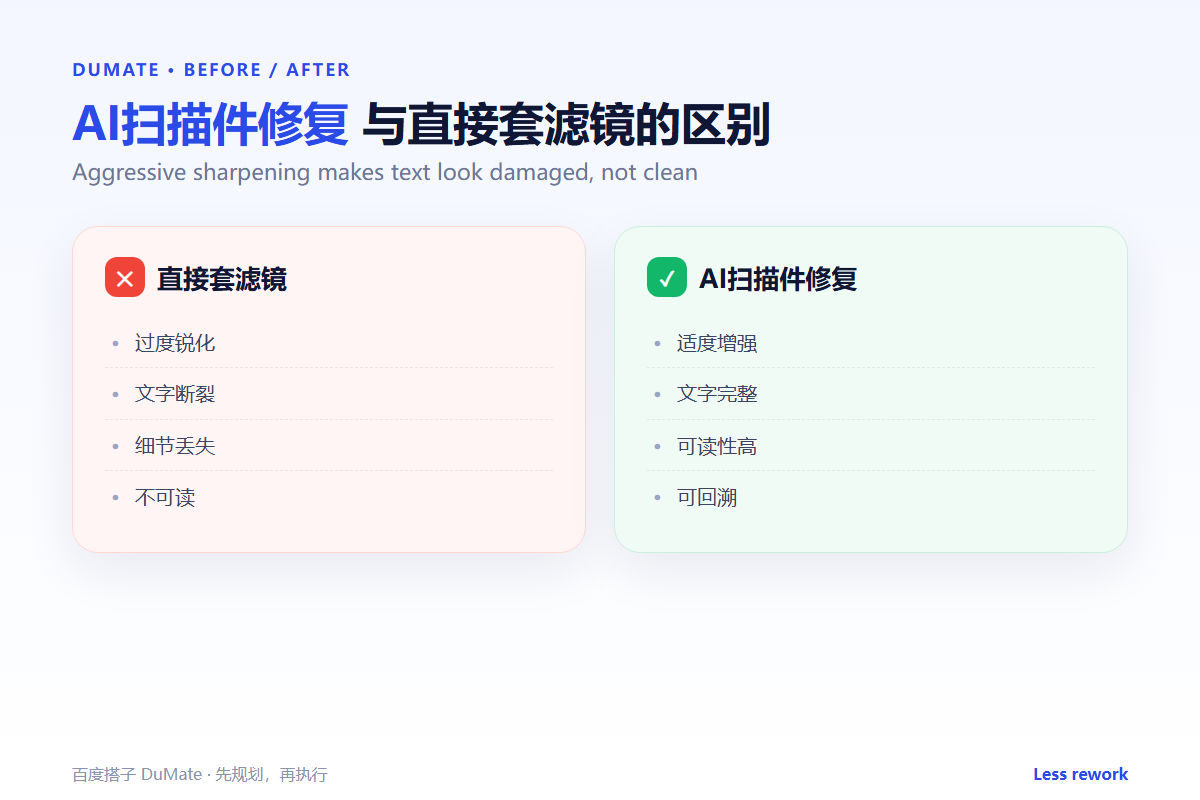
Aggressive sharpening creates halos and breaks thin strokes. The text looks crisp at a glance and becomes harder to read at length. AI扫描件修复 should aim for a natural page, not a poster.
The second reason is evidence. Scanned documents are often records. Removing a stamp or a handwritten note changes the document, even if the intent is cosmetic. The restored version should be a copy, never a replacement.
How AI扫描件修复 Works in Five Steps
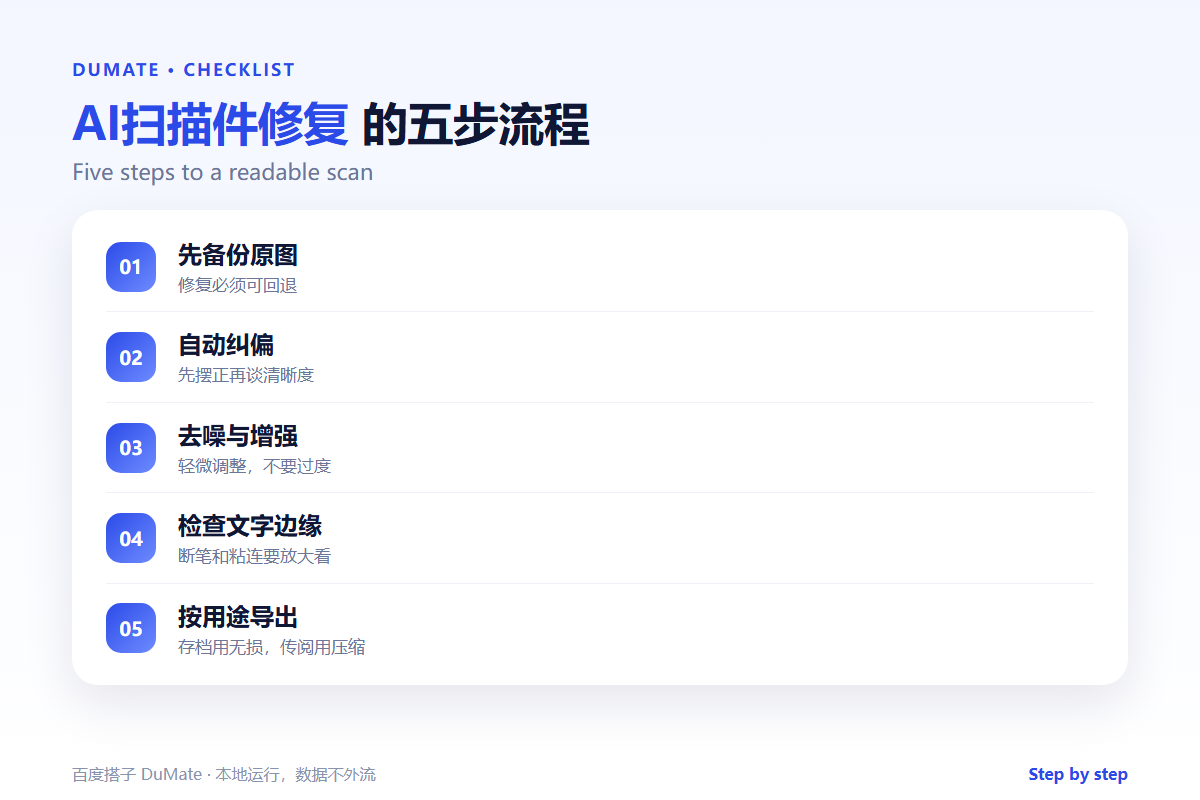
Step 1: Back up and inspect
Keep the original file. Look at the scan at full size to identify the main problem: angle, noise, contrast, or damage. AI扫描件修复 should start from the dominant issue.
Step 2: Deskew and crop
Straighten the page and crop the background. A level page improves every later step. AI扫描件修复 tools often detect the page edges automatically.
Step 3: Denoise
Remove speckles and shadows without blurring the text. Use the lowest setting that works. AI扫描件修复 should be checked at full size after each pass.
Step 4: Enhance contrast
Increase contrast and sharpness in small increments. Watch for broken strokes and filled counters. AI扫描件修复 should preserve the difference between text and paper.
Step 5: Export by purpose
Use a lossless format for archive and a compressed PDF for sharing. Check that the text layer, if any, still matches the image. AI扫描件修复 output should be readable on a phone and in print.
A Restoration Checklist
- The original is untouched.
- The page is level and cropped.
- Noise is reduced without blur.
- Text edges are intact.
- Archive and sharing files are separate.
Where AI扫描件修复 Fails
It fails when the scan is too low-resolution to recover. It also fails when the tool removes a stamp or signature as noise.
- Over-sharpening thin strokes.
- Removing official marks.
- Cropping part of the page number.
- Compressing until text becomes gray.
Before and After
Before, a team ran a strong filter over a contract scan, and the thin signature lines disappeared. After, AI扫描件修复 deskewed and denoised first, then applied a mild contrast pass, and the signature stayed visible.
Restoration should recover what is there, not invent what is missing.
Used consistently, AI扫描件修复 becomes part of the normal review routine rather than a separate project.
A final check with AI扫描件修复 takes a minute and catches the errors that are easiest to miss.
A Four-Week Rollout
The first week with AI扫描件修复 should be a small pilot, not a team-wide launch. Choose one recurring task with a clear output and run it end to end. Keep the sample small enough to check by hand. The point is to see where AI扫描件修复 saves time and where it creates review work.
During the pilot, keep a short log of inputs, outputs, and corrections. Record the time spent before and after. AI扫描件修复 feels faster even when it is not, so the log matters. At the end of the week, review the log with one colleague and decide whether to continue, change the input, or stop.
In week two, write a one-page standard for input and output. Include what must be checked and who approves the result. AI扫描件修复 works better when the standard is visible to everyone. In week three, add permissions and a review step. In week four, compare the results and write a short guide. That guide is what makes AI扫描件修复 survive after the first month.
Keep the pilot narrow. A broad rollout hides which step failed, and a narrow one shows exactly where the workflow needs help. Expand only after the narrow case is stable.
Keep the first month simple. One task, one owner, and one weekly review are enough to prove the workflow before it spreads across the team.
Write down what changed after each run. A short note is easier to trust than a memory, and it makes the next improvement obvious.
Review the output before it leaves your desk. A two-minute check catches most of the errors that would otherwise come back as questions.
Keep one example of a good result. New team members learn faster from a concrete reference than from a long explanation.
The first version does not need to be perfect. It needs to be complete enough to review, so the team can see the gaps and fix them in the next round.
FAQ
Can AI扫描件修复 recover a torn page?
It can reduce the visual damage, but it cannot restore missing content. Keep the original for legal purposes.
Should I convert to black and white?
Only when the document is text-only and the background is clean. Color scans preserve stamps and annotations.
What resolution should I use?
Three hundred dots per inch is a practical minimum for text documents.
延伸阅读
For text extraction, see AI OCR识别. Conversion is covered in AI文件转换. Document handling is in AI文档处理. Batch work is covered in AI批量处理. PDF editing is in AI PDF编辑. External references: NIST AI Risk Management Framework and ISO/IEC 42001.
评论
还没有评论,来说两句吧。以下为本文的引用通告: