
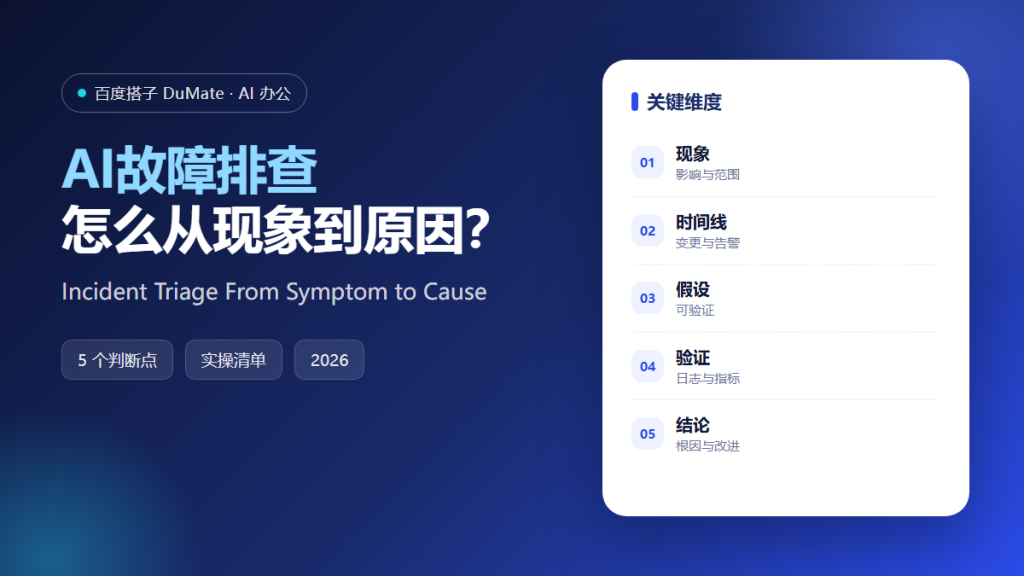
AI故障排查 helps most when it slows a team down for ten minutes and turns a symptom into a timeline. The first fix attempted under pressure is often the reason the incident lasts twice as long. A calm sequence beats a heroic guess.
This guide describes how AI故障排查 supports an on-call engineer, the five steps from symptom to confirmed cause, and the traps that make a simple outage look like a mystery. It is a method for thinking, not a button to press.
Key Takeaways
- Write the symptom in observable terms.
- Build a timeline before a theory.
- Change one variable at a time.
- Keep a record of what was ruled out.
- Confirm the cause before closing.
Why AI故障排查 Needs a Timeline
A symptom is what users report; a cause is what changed. Between them sits a sequence of deploys, config edits, traffic shifts, and certificate renewals. AI故障排查 is useful when it assembles that sequence from logs and tickets instead of guessing at the first plausible story. The timeline should include the quiet change nobody mentioned, such as a certificate renewal or a feature flag switched by a support agent. Group errors by version before grouping by message text, because the text changes more often than the cause.
The second reason is correlation. Two systems often fail together because a third one is shared. AI故障排查 can group errors by time, host, and version, which separates a common cause from a coincidence that happens to appear in the same minute and sends the team in the wrong direction.
The third reason is memory. During an incident, the team forgets what it already checked. AI故障排查 should maintain a short list of hypotheses and results, so the next engineer does not repeat the same query on the same dashboard while the clock keeps running.
How AI故障排查 Works in Five Steps
Step 1: State the symptom
Write what is broken, for whom, and since when. Include the error rate and the affected path. AI故障排查 should ask for a baseline, because a slow page is only slow relative to a normal week, and a normal week may already be degraded. Separate a total outage from a slow path, because the fixes and the urgency differ. Note the first alert and the first user report on separate lines.
Step 2: Build the timeline
Collect deploys, feature flags, alerts, and support tickets on one axis. Mark the first abnormal signal. AI故障排查 can align timestamps from several sources, but someone must confirm the timezone before the order of events makes sense.
Step 3: Narrow the scope
Ask whether the failure is one region, one version, one customer, or everyone. Each answer removes half the search space. AI故障排查 should suggest the next discriminating query rather than a list of generic checks that everyone already ran. Try the cheapest split first, usually by version or region.
Step 4: Test one hypothesis
Change a single variable and observe. A rollback is a test, not a cure. AI故障排查 should record the expected result before the change, so a coincidence cannot be mistaken for proof and a second variable cannot contaminate the result.
Step 5: Confirm and record the cause
Reproduce the failure with the suspected cause and show that removing it restores service. Write a short note with the timeline and the fix. AI故障排查 without a confirmed cause leaves the same incident waiting to return, often at a worse hour.
‘ alt=’AI故障排查 checklist: symptom, timeline, hypothesis and cause’ />
A Triage Review Checklist
- The symptom has a start time and a scope.
- Deploys and config changes are on the timeline.
- Only one variable changes per test.
- Ruled-out hypotheses are written down.
- The cause is reproduced and confirmed.
Where AI故障排查 Fails
It fails when the tool is asked for a fix before anyone has described the symptom. It also fails when a plausible explanation closes the incident while the real cause keeps running quietly. A closed ticket is not the same as a restored system. A long outage usually contains several small unrecorded changes, and the first one is rarely the cause.
- Restarting services without a record.
- Changing several settings at once.
- Trusting a single log line.
- Searching for someone to blame.
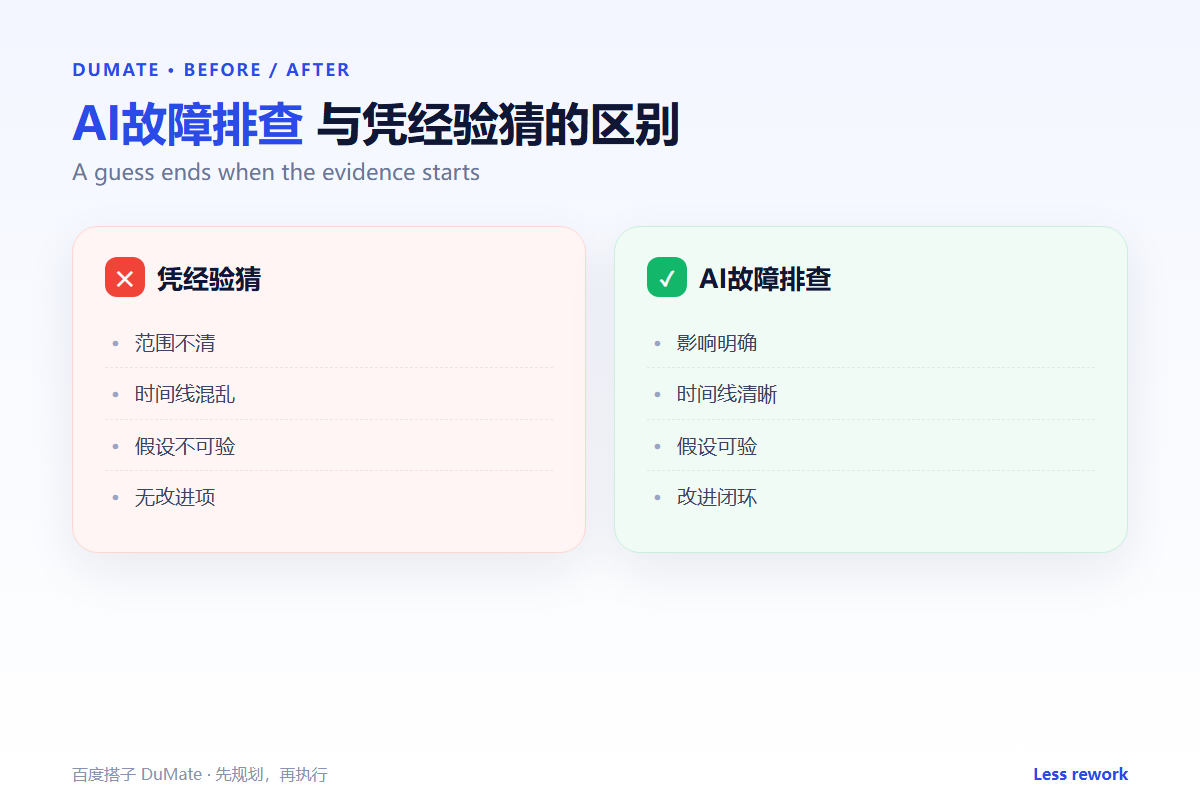
Before and After
Before, a checkout outage triggered three simultaneous changes: a restart, a rollback, and a database failover. Service returned, nobody knew why, and the same failure repeated four days later with a larger audience and a shorter temper. The team could not say which change came first, or which one had been made twice.
After, AI故障排查 built a timeline that showed a certificate renewal two hours before the first error. One test confirmed the cause, and the team added an expiry alert instead of another restart script. The note became the first link in the next incident review.
FAQ
How fast should triage be?
Fast enough to restore service, slow enough to avoid a blind change. A two-minute timeline often saves an hour of guessing, and it gives the next responder a place to start. Write the timeline before the first mitigation, even if it takes two minutes. Include the person who made the change, not only the service name.
What should be logged during an incident?
Time, action, observation, and who performed it. The log is for the next engineer, not for a performance review, and it should be written while the facts are fresh.
Is a postmortem always necessary?
For any user-visible outage, yes. Keep it short and blameless, with one or two changes that would have caught the issue earlier and a date for each.
延伸阅读
Read events in log analysis and reproduce failures with test cases. Clean the written record in document proofreading, annotate evidence with data labeling, and structure the report with official writing. External references: NIST AI Risk Management Framework and ISO/IEC 42001.
评论
还没有评论,来说两句吧。